Every week somebody sends me a session to edit, and the problem is almost never the microphone. It is the room. I have edited more than 4,000 episodes for other people out of a small studio in Brooklyn, and I can usually predict what a recording will sound like before I hear the first word: bare walls, a box fan two feet from the desk, and a gain knob pushed up to compensate for a mic that is sitting too far from a mouth.
That is why picking the best microphone for creators is really three decisions, not one. You are deciding how close the mic can sit to your face, how much of the room it will hear when it gets there, and how many pieces of gear you are willing to keep charged, mounted, and plugged in every single day. Get those three right and the difference between a $45 kit and a $170 kit mostly stops mattering. Get them wrong and no amount of money fixes it.
Related: USB vs XLR Microphones for Podcasters
The short answer: if you record anywhere other than a treated room, a wireless kit solves more problems than a nicer desk microphone, because distance from your mouth is the one variable you actually control. The DJI Mic Mini is the lightest way in, the Hollyland Lark M2 is the most flexible bundle, the Shure MV6 is the simplest desk setup, and the Elgato Wave XLR MK.2 only makes sense if you already own an XLR microphone.
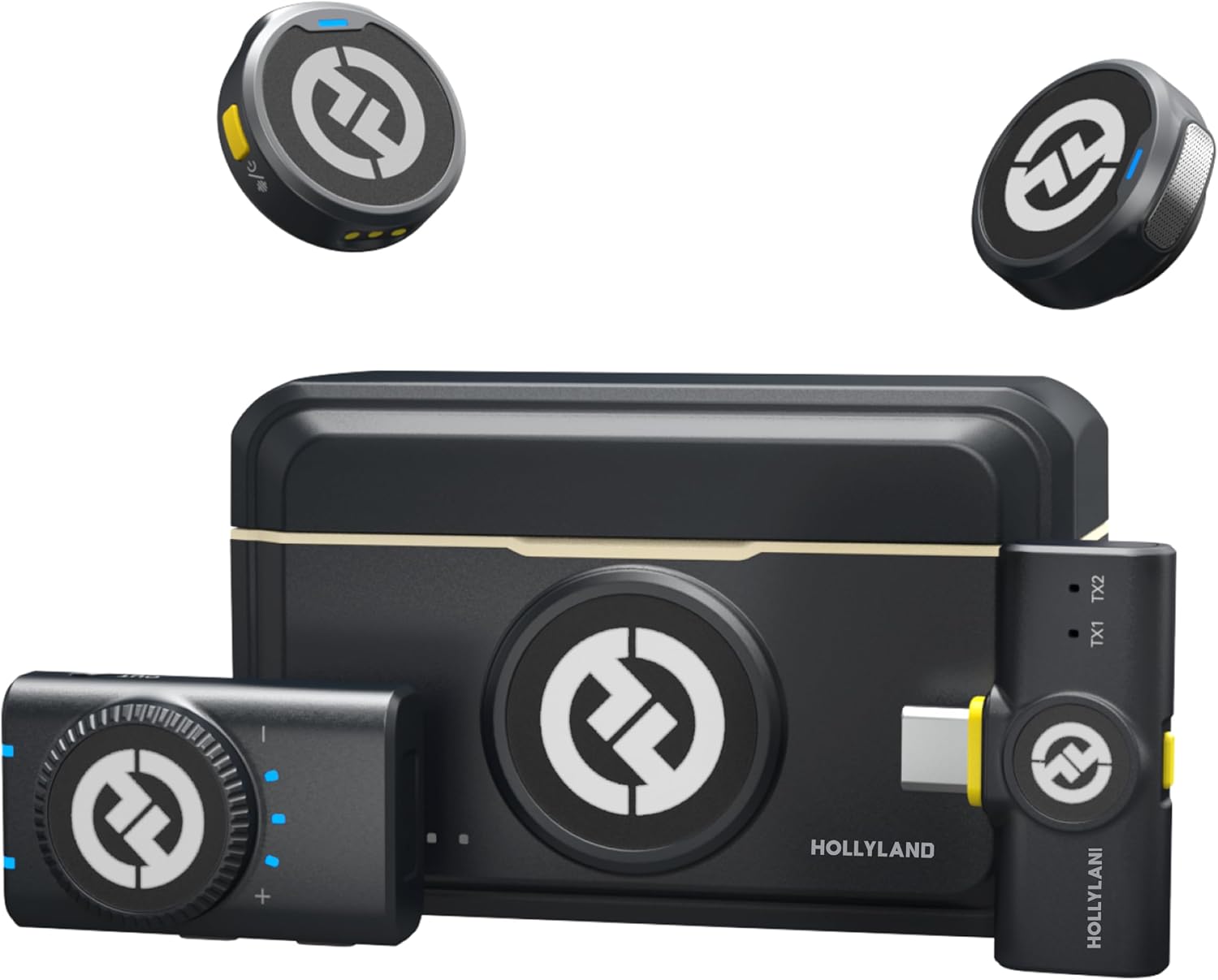
Hollyland Lark M2
Ships with both a camera receiver and a USB-C receiver, so one kit covers phone, camera, and computer
Most parts to keep track of, and the transmitters are visible on camera
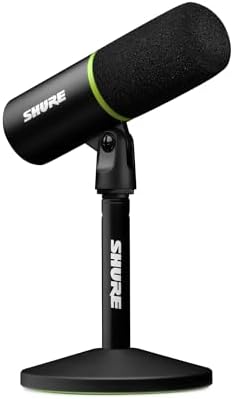
Shure MV6
One cable, no receiver, no batteries, and a brand with a real service history
Desk bound, so it hears every fan, keyboard, and street noise in the room
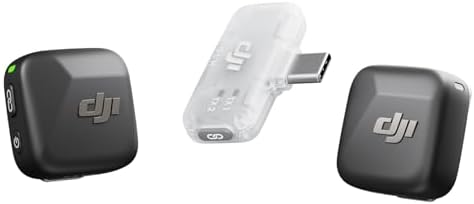
DJI Mic Mini
Two transmitters, active noise cancelling, and the lightest kit in this group
The bundled receiver is the mobile one, so desktop and camera rigs are not its focus
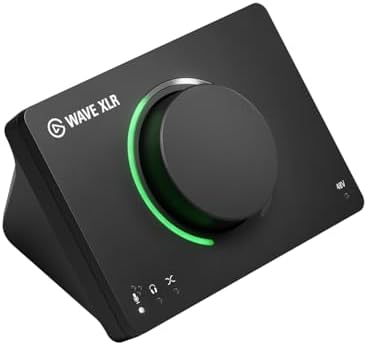
Elgato Wave XLR MK.2
Gain, DSP, and a mixer in one box, with no batteries and no receivers to lose
There is no microphone in the box, so it is not a first purchase
Prices and availability were captured from Amazon Creators API and may change.
What I listen for before I read a spec sheet
Frequency response is the least useful number on a microphone box. What survives an edit is room tone, off-axis rejection, and how the mic behaves when you move your head.
Room tone is the floor under everything. A mic that sits eight inches from your mouth forces you to raise gain, and gain lifts the fan, the fridge, the traffic, and the hum of your monitor. A mic that sits two inches from your mouth lets you run gain low enough that the room nearly disappears. That is the whole argument for wireless lav kits in a home setup, and it has nothing to do with how expensive the capsule is.
Off-axis rejection is the second thing I check. If you have ever had a client whose audio gets brighter every time they turn to grab a notebook, you have heard what poor off-axis behavior sounds like. A mic that stays consistent when you turn your head is worth more than a mic that sounds perfect at one exact angle.
Plosives and mounts are the third. A pop filter and a boom arm matter more than a mic upgrade, and I will say that until I am hoarse. I have heard expensive microphones ruined by a $15 desk stand that transmitted every keystroke straight into the capsule. Before you spend money on a better microphone, spend it on getting the one you own off the desk and in front of your face.
Finally, gain staging. Every setup here gives you a different place to set level. The question is whether you can set it once, mark it, and stop touching it. Gear you have to babysit is gear you stop using.
Hollyland Lark M2: the bundle that covers the most setups
The Lark M2 is the only kit in this group that ships with two receivers, one for a camera and one for USB-C, which means the same transmitters can feed your phone, your camera, and your computer without you buying an adapter at 11 p.m. the night before a shoot. Hollyland rates the system at 48kHz/24-bit with a 300m range and up to 40 hours of use, and noise cancelling is built into the chain.
For creators who record in more than one place, that flexibility is the entire pitch. You clip a transmitter on, you plug the receiver into whatever is in front of you, and you are done. No boom arm, no interface, no software.
What you give up is simplicity. Two receivers, two transmitters, and a charging case is a lot of small objects to keep track of, and a lav clipped to a collar is always visible on camera. If your content is a talking head shot in a controlled frame, that matters. If your content is a walk-and-talk or a two-person interview on location, it does not.
$79.20
DJI Mic Mini: the smallest kit in the group
The DJI Mic Mini is a two transmitter bundle with a mobile receiver, and it is the lightest option here by a wide margin. DJI describes it as ultralight with active noise cancelling, and the size is the feature. A kit you forget you are wearing is a kit you will actually use on a Tuesday, not just on a shoot day.
The two transmitters are the underrated part. Two-person interviews, co-hosted shows, and the occasional guest are all covered out of the box, and you can keep a transmitter on a second person without buying anything else. That is a real production advantage over a single mic on a stand.
The trade-off is the receiver. This bundle ships with the mobile receiver, so if your workflow is a camera or a desktop computer, you are working around the bundle rather than with it. Check what your recorder actually needs before you commit, because a $45 kit that needs a dongle is a $60 kit that needs a dongle.
$45.00
Shure MV6: the one-cable desk microphone
The Shure MV6 is the simplest thing in this comparison. It is a USB microphone, so there is no receiver, no battery, and no pairing. You plug it in, you set gain once, and you record. For a streamer or a solo podcaster who records at the same desk every day, that reliability is worth more than flexibility.
Shure is also the legacy name in this group, and my experience with legacy brands is that they stay supported. Drivers keep working, mounts keep fitting, and replacement parts exist in three years. The new USB brands are catching up fast, but their software is hit or miss, and software is where a lot of these products live or die.
The cost is placement. A desk microphone hears the desk. It hears the keyboard, the chair, the fan in the next room, and the street outside. If your room is untreated, you are going to fight that in every edit, and no amount of EQ removes a fan without hollowing out your voice. Buy this if your room is quiet or you are willing to treat it.
Elgato Wave XLR MK.2: the interface path
The Wave XLR MK.2 is not a microphone. It is a USB audio interface and DSP mixer, which means it is the box between an XLR microphone you already own and your computer. Gain control, DSP, and mixing in one place, with no batteries and no receivers to lose.
This is the right purchase for a specific person: someone who already has an XLR microphone, wants on-board processing instead of doing everything in software, and records at a fixed desk. That person gets a clean, repeatable signal chain and a physical knob to grab when a guest gets loud.
It is the wrong first purchase for almost everyone else. If you do not own an XLR microphone, this box gives you nothing to record with, and buying it means buying a mic on top of it. The interface path is for people who know why they need it. If you are not sure whether you need it, you do not need it yet.
$169.99
The trade-offs the table cannot show
The table compares hardware. The real decision is a workflow decision.
Wireless kits win on proximity and lose on logistics. You get a mic two inches from a mouth, which is the single biggest quality lever available to a home creator, and you pay for it in charging, pairing, and small parts. A dead transmitter ten minutes before a recording is a specific kind of pain.
Desk microphones win on logistics and lose on the room. Nothing to charge, nothing to pair, one cable, always ready. But a desk mic in a bad room is a permanent problem, and it is the problem most people misdiagnose as "my microphone sounds bad."
Interfaces win on control and lose on convenience. You get real gain staging and processing, and you pay for it with a signal chain you have to understand. If you cannot explain why you want that, a USB microphone will serve you better.
One more thing: none of these solve a noisy room. Active noise cancelling and DSP help, but they work best on steady noise, and they cannot un-hear a dog barking three feet away. Room tone is still the floor under everything.
Which one to buy
If you record in more than one place, or you record anywhere that is not a treated room, buy a wireless kit. The Hollyland Lark M2 is the most flexible bundle because of the two receivers, and the DJI Mic Mini is the better pick if portability is your priority and your recorder is a phone. Either one puts the microphone where it belongs, which is close to your face.
If you record at the same desk every day and your room is reasonably quiet, the Shure MV6 is the safe buy. One cable, one gain knob, a brand that will still exist when you need a part.
If you already own an XLR microphone and you want physical gain control plus processing on the way in, the Elgato Wave XLR MK.2 is the missing piece. Just do not buy it as a first microphone, because it is not one.
And if you are choosing between a better microphone and a first round of acoustic treatment, buy the treatment. It is less fun, it does not photograph well, and it will improve your audio more than anything on this list.
The upgrade treadmill
Here is the pattern I see in my edit bay every month. Someone buys a more expensive microphone, records in the same untreated room, and sends me a file that sounds slightly different and not noticeably better. Then they buy a different microphone.
The creators whose audio I never have to fix are not the ones with the most expensive gear. They are the ones who put a mic close to their mouth, set gain once, and stopped touching it. A microphone you are afraid to use is worse than a worse microphone you use every day, and the best gear purchase is usually the one that removes a decision from your setup rather than adding one.
Pick the path that matches where you actually record, not the path that looks best in a review. Then spend the difference on getting the microphone off the desk and in front of your face.