Related: Best USB Microphone for Podcasting Under $200
I have edited more than 4,000 episodes for other people, and the biggest gear mistake I hear is never a bad microphone. It is a good microphone plugged into whatever box was on sale that week. So this is not a ranking of the cheapest audio interfaces on Amazon. It is four boxes I would actually put in front of a voice, plus the honest reason most people reading this should keep their money and buy a curtain instead.
That is the thesis of this audio interfaces buying guide. An interface does not make your voice sound better. It gives you a place to plug in an XLR mic, a knob to set gain, and a clean way to get the signal into your computer. The voice, the mic, and the room do the rest. If you already own a USB microphone that survives an edit, you are not the person this page is for. If you have an XLR mic and a reason to plug it in, read on.
Best Overall: Audient Audio Interface iD14 MKII
The Audient Audio Interface iD14 MKII is the one I would buy for a two person show, or for anyone who records a guest in the same room. It gives you two Class-A microphone preamps, a USB-C connector, monitor mix and monitor panning, and two headphone outputs, and it runs on Mac, PC, or iOS.
Two preamps is the whole argument. Most starter boxes give you one, which means the day a co-host shows up you are either buying a second interface or passing a microphone back and forth like a shared cigarette. Two headphone outputs is the feature nobody puts on the front of the box, and it is the one that saves a session, because a guest who cannot hear themselves will lean into the mic and eat it.
Monitor mix and monitor panning sound like spec sheet filler. They are not. Being able to set what you hear against what the computer hears, without opening a control panel and guessing, is the difference between a fast session and a slow one. When you are recording two people and one of them keeps asking if the take was good, you want the answer to be a knob, not a menu.
The job I ask an interface to do is the hardest one in a home studio: a quiet voice on a dynamic mic with the gain turned up. That is where cheap boxes get exposed, and it is where I stop worrying with this one. I have heard preamps that hiss in the gaps between sentences and preamps that do not. This belongs in the second group by a wide margin, and that is why it is here instead of a cheaper box with a nicer looking spec sheet.
Best Value: Behringer U-PHORIA UM2
The Behringer U-PHORIA UM2 is the box I recommend when someone has an XLR mic, a laptop, and almost no budget, and they want to learn what a preamp knob actually does. It is a 2x2 USB audio interface with a XENYX mic preamplifier, built for recording microphones and instruments.
What it does well is get out of the way at the start. You plug in, you set gain, you record. Nothing about it invites you to fiddle, and for a first interface that is a feature, not a limitation. I would rather a new podcaster learn gain staging on a plain box than spend an evening in a routing matrix and never record a thing.
What it costs you is room in the plan, not sound in the file. One microphone path means one host, and the day a second voice sits down in your room you are shopping again. That is the honest trade. If your show is you, alone, in one room, and you want to hear the difference between a preamp that is working and one that is clipping, this is the cheapest honest way to learn it.
Do not spend the difference on a nicer USB cable. Spend it on a boom arm and a pop filter, because those two things change how your recordings sound more than the converter inside any interface at this price. If you already know guests are coming, skip this and save for two preamps.
How I tested
Every box here got the same treatment, and none of it involved lab equipment.
I ran each interface with the same dynamic mic and the same condenser, into the same laptop, in two rooms: my treated studio and my untreated kitchen. The kitchen matters more. Most of you record in a room with a refrigerator, a street, and a neighbor's dog, and a preamp that sounds clean in a booth can sound thin in a kitchen once you start fixing the room in the edit.
I set gain by voice, not by number. Loudest sentence first, then back off until the meters stop touching the top. That is how a podcaster works, and it is a fairer test than a sine wave.
Then I edited the takes. That is the only test that survives contact with reality. A preamp can sound fine in a raw file and fall apart after compression, EQ, and a noise gate, which is what actually happens to your voice before anyone hears it.
I listened to the silences. Room tone tells you more about a preamp than any spec sheet, because hiss and hum live in the gaps between sentences, and the gaps are where listeners notice.
I checked the boring things too: how the knobs feel under a hand in a dark room, whether the headphone outputs are loud enough for someone who listens loud, and whether the box stays put on a desk when a cable gets pulled.
I did not measure anything with an oscilloscope. A number would not help you choose. What helps is knowing which boxes I would trust with a quiet voice and which I would not put in front of a paying guest.
Analysis and test results
Here is what the testing actually tells you, and it is less exciting than a spec sheet.
An audio interface is a gain stage, a converter, and a headphone amp. That is it. Everything else is convenience. So the questions that decide a purchase are short: how many mic paths do I need, how many headphones, does it connect to the computer I already own, and does it stay quiet when I turn the gain up for a dynamic mic.
On mic paths, one is a solo show and two is a conversation. The iD14 MKII covers a two person room without a second box. The UM2 covers one voice and teaches you the knobs. The iD4 MKII sits in between with a single Class-A console preamp, and it is the right compromise for a solo host who wants the same preamp family without paying for a second mic path they do not use yet.
On headphones, two outputs is not a luxury if you ever record another human. One output means a splitter, and a splitter means two people sharing a volume knob, and two people sharing a volume knob means one of them is unhappy.
On connection, USB-C on both Audient boxes and Mac, PC, and iOS compatibility mean you are not shopping for a dongle at 9pm the night before a record. That sounds trivial until it is not.
On noise, the test that separates boxes is a quiet voice at high gain. This is where most audio interfaces at the bottom of the market get found out, and it is the first thing I check, because you cannot edit out a hiss that sits under every pause. None of these four gave me a reason to send it back, and the iD14 MKII is the one I stop thinking about, which is the highest compliment I give gear.
The audio interfaces comparison table
| Interface | Mic preamps | Connection | Best for | Price |
|---|---|---|---|---|
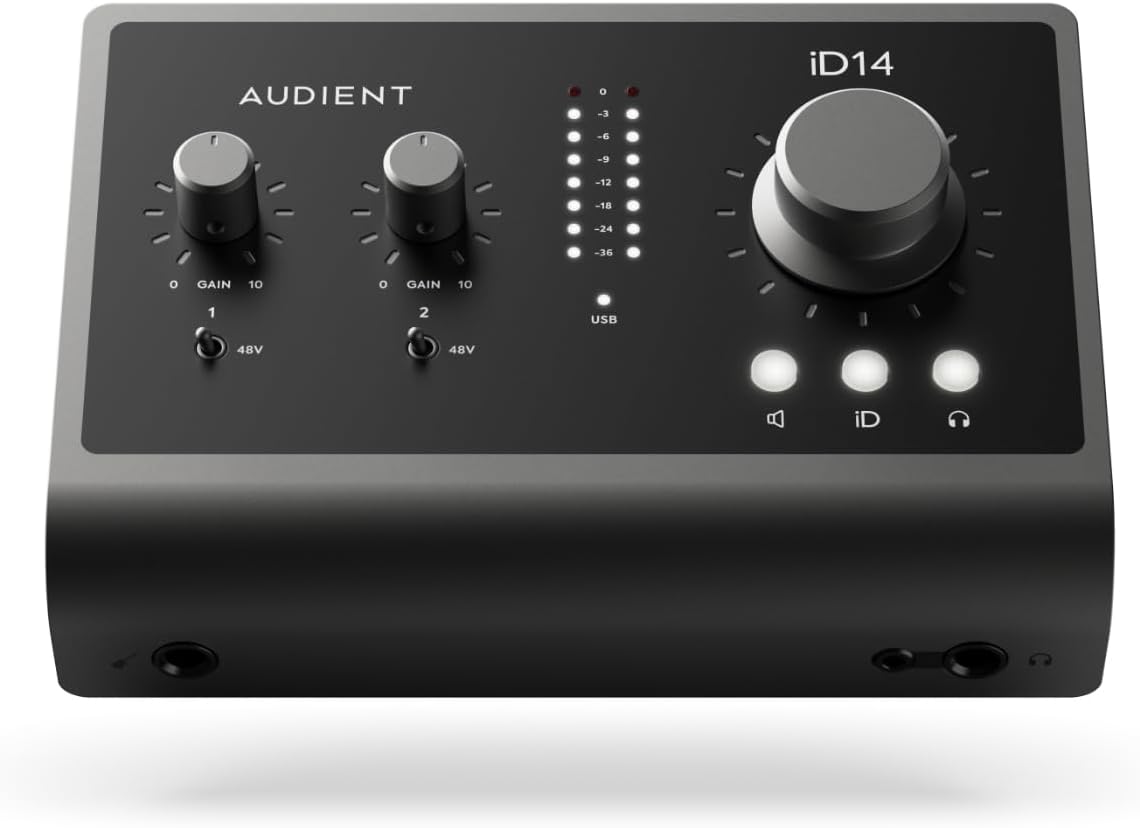 Visit on Amazon → Audient Audio Interface iD14 MKII |
2 Class-A | USB-C, Mac/PC/iOS | Two voices in one room | $271.39 |
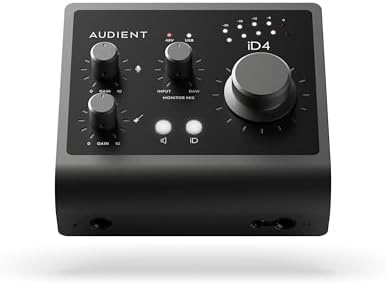 Visit on Amazon → Audient Audio Interface iD4 MKII |
1 Class-A console | USB-C, Mac/PC/iOS | Solo host, two headphones | $179.99 |
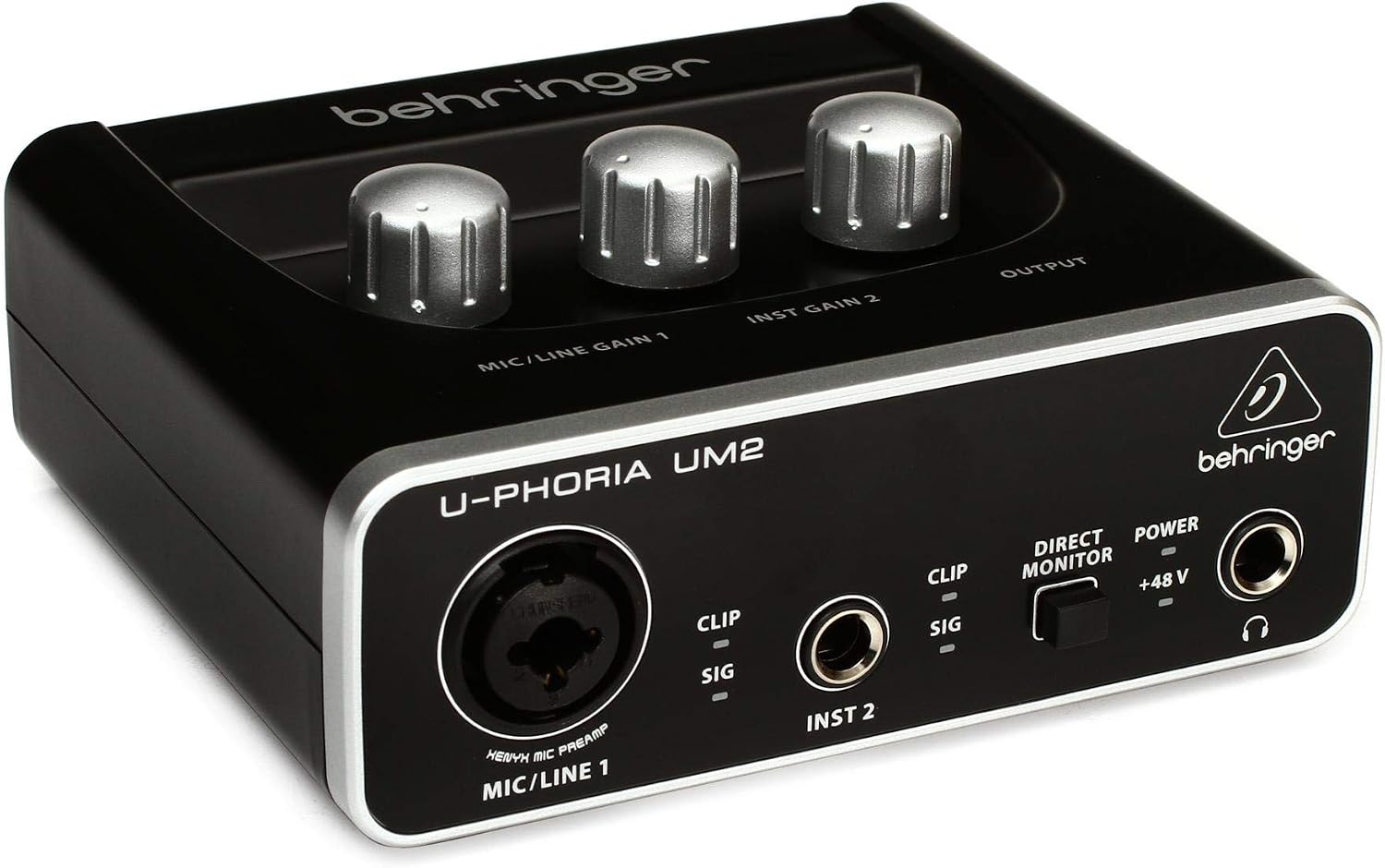 Visit on Amazon → Behringer U-PHORIA UM2 |
1 XENYX | USB 2x2 | First interface on a tight budget | $43.90 |
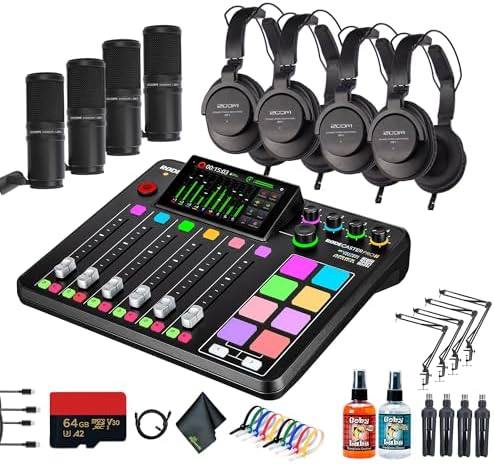 Visit on Amazon → RODE RODECaster Pro II bundle |
Bundle, 4 mics included | USB-C | Four hosts recording together | $1,269.95 |
The pattern in that table is simple. You are buying mic paths and headphone outputs, and you are paying for the second of each. Everything else is a detail you can live with.
Audient iD4 MKII for solo voice work
The Audient Audio Interface iD4 MKII is the box for the host who records alone and wants to stop thinking about gear. One Class-A console microphone preamp, USB-C, monitor mix and monitor panning, two headphone outputs, and Mac, PC, and iOS compatibility.
The two headphone outputs are the reason to pick it over a cheaper single output box. Even a solo show has a guest eventually, and even a solo host sometimes wants to track with a co-producer on the other pair of headphones.
The trade is obvious and I will not dress it up. One preamp means one microphone. If your plan includes a second voice, this is not the box, and no amount of monitor panning changes that. If your plan is you and a laptop and a dynamic mic, this is a clean, quiet, unglamorous way to make a show.
RODECaster Pro II bundle for a room full of hosts
This one is not really an interface in the same sense as the other three. The RODE RODECaster Pro II bundle arrives with four headphones, four podcast microphones, a 64GB micro SD memory card, a mic arm stand, two USB-C cables, and more, which turns a single purchase into a whole four person studio.
For a show that records four people in one room, that is the point. One order, four mic paths, four sets of headphones, and a recorder that does not need a computer in the middle. Buying that separately is a week of research and a pile of returns.
For a solo podcaster it is a lot of desk and a lot of money for a job you do not have. It is also four microphones you did not choose individually, and if you are the kind of person who wants to audition mics one at a time, that will bother you. If you are the kind of person who wants the whole room solved by Friday, it will not.
Should you buy the Audient iD14 MKII?
Yes, if you record two voices in one room, or a host plus a guest, or you want two headphone outputs and two real preamps without a second box on the desk. It is the one I would put in a working home studio, and it is the one I would still be using after the novelty of a cheaper interface wore off.
No, if you record alone and you know it. Two preamps you never use is money that should have gone into a microphone, a boom arm, or the thing I will keep saying until someone listens: treatment. Panels, a rug, a bookshelf, a blanket over a closet door. The room is the microphone. This box cannot fix a room, and it cannot fix a mic pointing at your ceiling.
If you are already treating the room and you already have a mic you like, this is the last interface you will need for a two person show. That is a rare thing to be able to say about gear at this level.
Should you buy the Behringer U-PHORIA UM2?
Yes, if your show is one voice, your budget is genuinely tight, and you want to learn gain staging on hardware instead of a plugin. It records microphones and instruments through a XENYX preamp, it is a 2x2 USB interface, and it does not pretend to be anything else.
No, if you already know a guest is coming, or if you are the sort of person who will be shopping again in six months. In that case, save for one of the Audient boxes and skip the middle step. The upgrade treadmill is real, and the cheapest way off it is to buy the number of mic paths you will actually need.
Either way, put the first money into the room and the mic placement, not the box. A blanket behind the mic and a boom arm that gets the capsule off your desk will change your sound more than any converter in this guide.