If you are assembling a podcast microphone setup for a home room, the shopping list gets confusing fast. One guide says buy a dynamic mic, another says you cannot record without an interface and an XLR cable, a third says the mic you already own is fine as long as you add a pop filter. Meanwhile the thing that actually ruins most home recordings, reflected sound bouncing off bare walls and a street or a fan bleeding in from somewhere, does not appear on any spec sheet you can compare.
This guide covers six pieces of gear that fit together into a realistic podcast microphone setup for creators: a hybrid wireless dynamic mic that runs over USB or XLR, a two-channel USB audio interface, a Lightning microphone built for iPhone and iPad recording, a short XLR cable, a portable PA system with its own microphone and stands, and a pop filter. Not every reader needs all six. A solo host recording into a laptop needs two of them. Someone who already owns an XLR microphone and a treated corner needs one. A creator who also does live events or house-of-worship style audio might genuinely want the PA kit.
The scope here is voice. Speech intelligibility, plosives, room tone, and how a piece of gear behaves when you are speaking into it from a few inches away. Everything below is judged on connection format, what each item contributes to a signal chain, and how well it keeps working after a month of use, not on how impressive the numbers on the box look. No prices are printed in this article, because they move; every card links to the retailer so you can confirm the current figure yourself.
Related: How to Treat a Bedroom Corner for Voice Recording
Quick answer
The MAONO PD200W Hybrid Wireless Podcast Microphone for PC, Dynamic XLR USB Mic is the strongest fit for a first podcast setup because it is a dynamic microphone that covers both connection paths in a single purchase: USB for a laptop-only start, XLR for the day you add an interface. Choose the Behringer UMC202HD instead when you already own an XLR microphone and need a two-input interface with Midas mic preamps to get it into a computer.
Podcast microphone setup pieces worth comparing
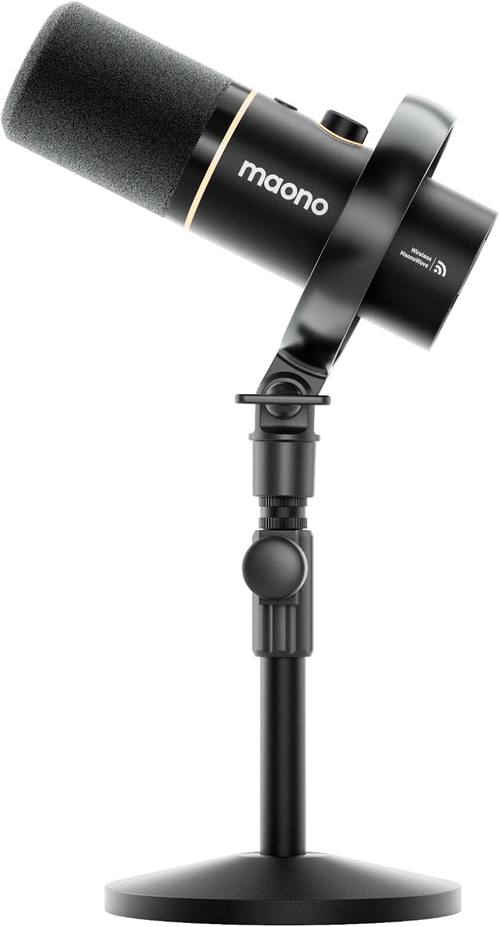
MAONO PD200W Hybrid Wireless Podcast Microphone for PC, Dynamic XLR USB Mic
A dynamic podcast microphone that offers both XLR and USB connections plus hybrid wireless operation with a PC, so one mic can serve a laptop-only setup and a later interface-based setup.
Visit on Amazon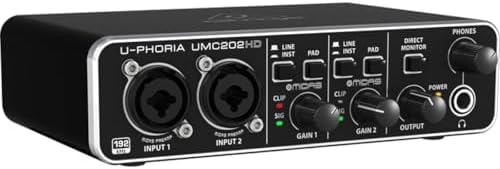
Behringer UMC202HD Audiophile 2x2, 24-Bit/192 kHz USB Audio Interface with Midas Mic Preamplifiers | For Recording Microphones and Instruments
Check current Amazon price
A two-in, two-out USB audio interface running up to 24-bit/192 kHz, built around Midas mic preamplifiers and intended for recording microphones and instruments.
Visit on Amazon
Zoom iQ7 iOS Lighting Microphone for Music, Video & Interview Recording on iPhone & iPad with Rotatable Capsule
A Lightning-connected microphone for iPhone and iPad aimed at music, video, and interview recording, with a capsule that rotates to aim at the source.
Visit on Amazon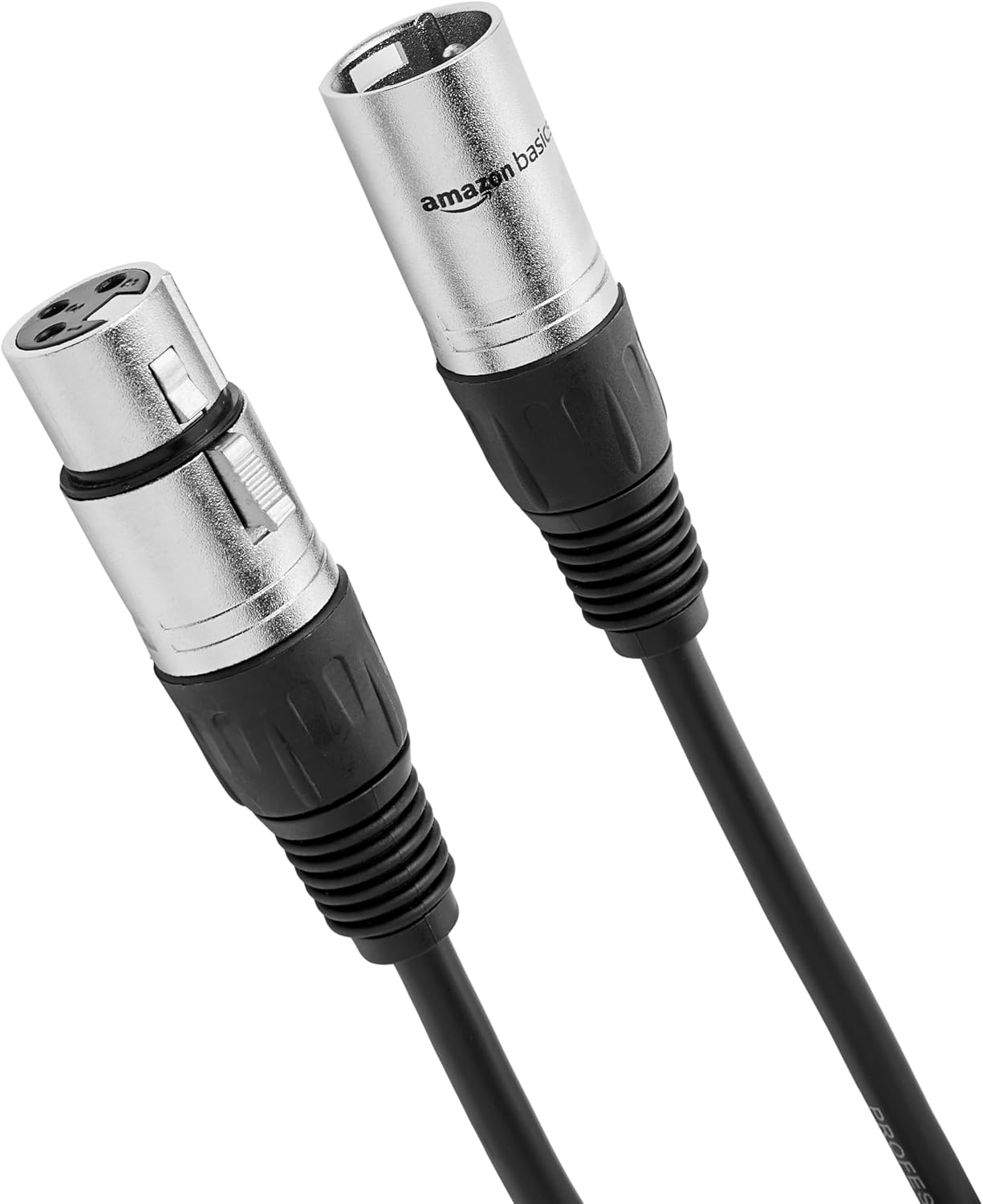
Amazon Basics XLR Male to Female Microphone Cable for Speaker or PA System, Recording Studio, All Copper Conductors, Low Noise Shielding, 6MM PVC Jacket, 6 Foot, Black
A 6 foot male-to-female XLR microphone cable with all copper conductors, low noise shielding, and a 6MM PVC jacket, for studio, speaker, or PA use.
Visit on Amazon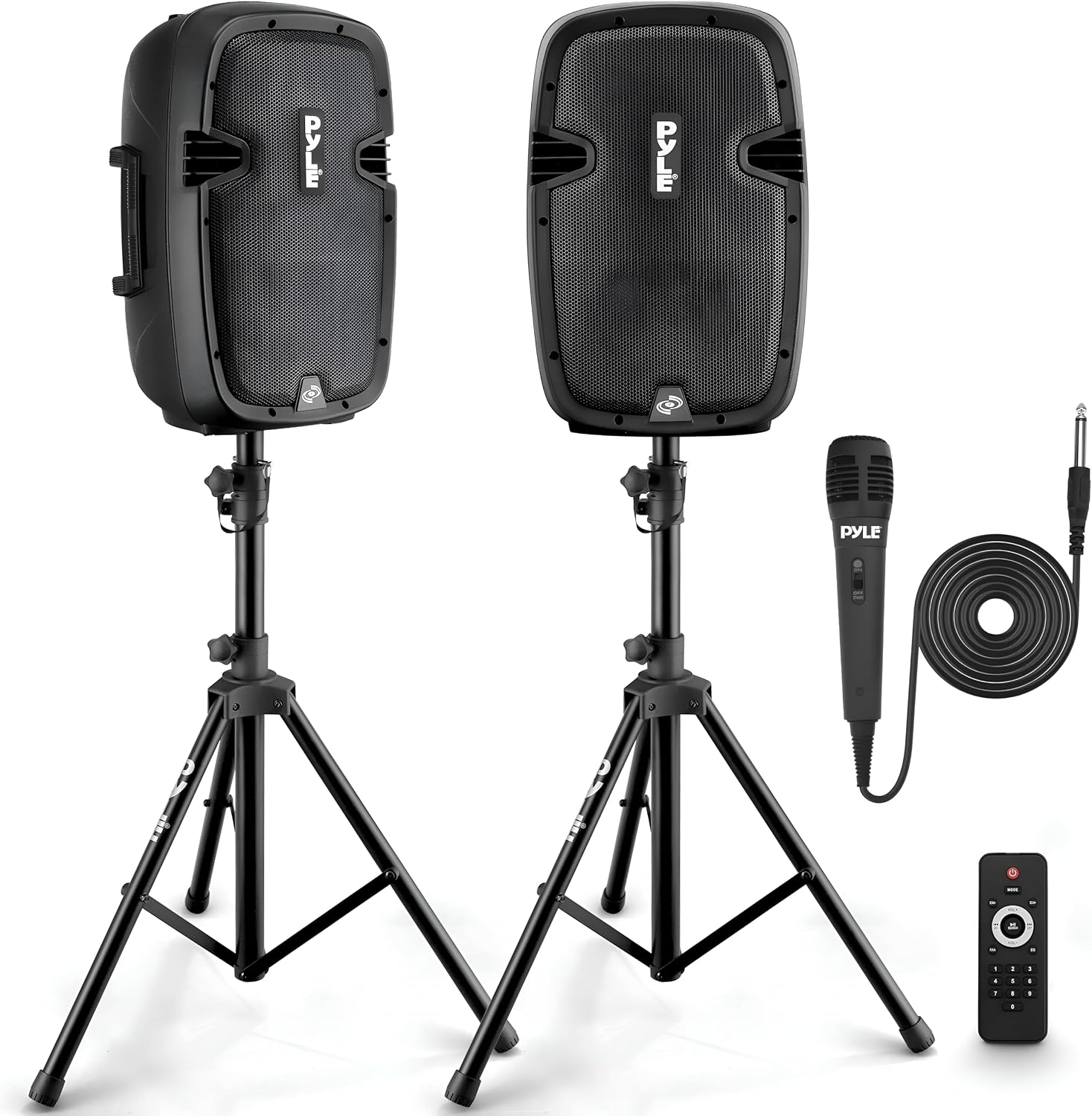
Pyle Active + Passive PA Systems - Dual 8inch 700 Watt Max Power Output Speaker with Microphone, Bluetooth Wireless Streaming, MP3/USB/SD/AUX Readers, Speaker Stands- Pyle PPHP849KT
Check current Amazon price
A portable active plus passive PA kit with dual 8 inch speakers rated at 700 watts max output, a microphone, Bluetooth streaming, MP3, USB, SD, and AUX inputs, and speaker stands.
Visit on Amazon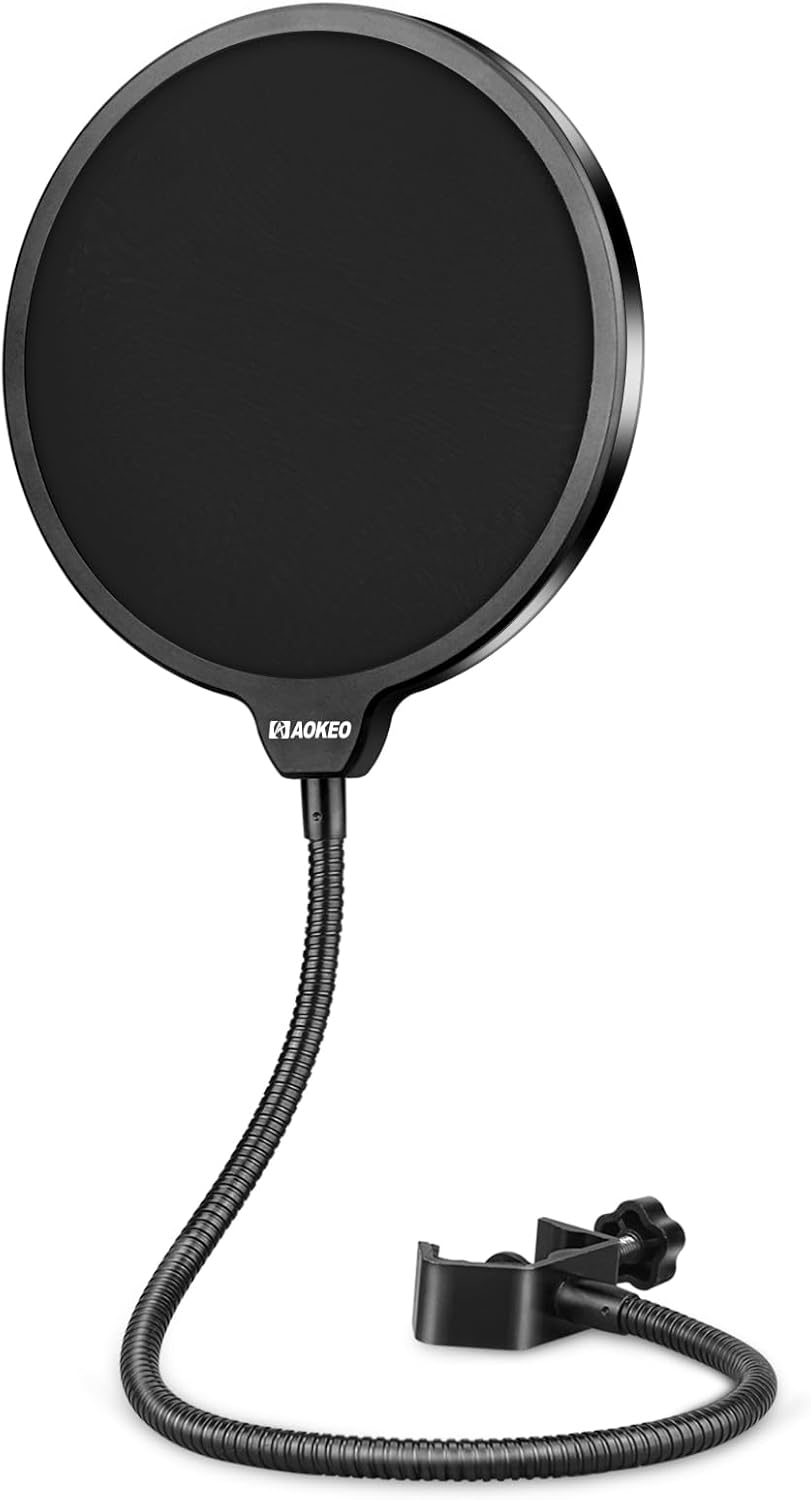
Microphone Pop Filter,Aokeo Mic Mask Shield,Three-layer Wind Pop Screen With Flexible 360° Gooseneck Clip Stabilizing Arm For All Microphone
A three-layer wind and pop screen with a flexible 360 degree gooseneck and clip stabilizing arm, designed to fit any microphone.
Visit on AmazonPrices and availability may change. Check the retailer for current details.
How these products were compared
This guide compares connection format (USB, XLR, hybrid wireless, Lightning, or none of those because the item is passive), capsule and pickup character as described by the manufacturer, what each item actually adds to a voice signal chain, device and platform compatibility, and the build details of the cables and accessories that hold a setup together. Product names, images, and retailer links are matched by ASIN so that every card points to the product shown.
A note on honesty: none of the descriptions above claim a measurement taken in a specific room. Pickup pattern, preamp quality, and off-axis rejection all read differently depending on where you sit, how far you are from the mic, and how live your walls are. What can be compared reliably is format, input count, platform support, and the physical parts you will touch every session. That is the basis for every recommendation below. Confirm current price and availability through the retailer link rather than trusting a number in an article.
How to choose the right podcast microphone setup
Start from the room and the computer, not the microphone. A dynamic microphone with a tight pickup pattern is the safer default for an untreated bedroom, a shared apartment, or a space with a window facing a street, because it responds less to everything happening behind and beside you. A condenser in the same room will happily record the refrigerator, the ceiling fan, and the neighbor's dog. If your room is treated and quiet, a condenser can reward you with more detail; if it is not, no amount of detail survives the room tone.
Then work out the path. Three paths are represented above. USB and hybrid wireless, where the microphone plugs straight into the computer or connects wirelessly, is the shortest route and the one that keeps you recording every week instead of troubleshooting. XLR into a two-input interface is the route that scales: separate gain control, the option of a second microphone for a co-host or a guest, and a signal chain you can upgrade one piece at a time. Lightning on an iPhone or iPad is the route for interviews in the field, where portability beats absolute fidelity. Pick the path that matches how often you actually record, because a microphone you are nervous about using is worse than a simpler one you use nightly.
Accessories deserve more respect than they get. A three-layer pop screen in front of the capsule is the cheapest fix for plosives, and a proper cable is the cheapest insurance against hum. Before you spend anything on an upgrade, read gain staging basics for podcast recording: setting levels correctly at the source will change your sound more than a new capsule will.
MAONO PD200W Hybrid Wireless Podcast Microphone for PC, Dynamic XLR USB Mic
The top pick is the one item here that crosses two paths at once. As a dynamic microphone it leans toward the real-world recording situation most creators are actually in, and because it offers USB, XLR, and hybrid wireless operation with a PC, the same microphone works whether you are starting on a laptop with nothing else or plugging into an interface later. That flexibility is worth more than a marginal difference in tone, because it removes the "I need to buy everything at once" problem that stops a lot of first podcasts before episode three.
The trade-off is scope. A single microphone is still a single microphone: it does not give you a second input for a co-host, and it does not replace the control an interface gives you over gain and monitoring. If you plan to record two voices on separate channels from day one, or you want the option of recording an instrument alongside your voice, you will end up buying an interface anyway, and the Behringer unit below becomes the more sensible center of the setup. Buy the MAONO first if the priority is getting a good voice recording made this week without a shopping list of dependencies.
Alternatives to consider
The Behringer UMC202HD is better suited to creators who already own an XLR microphone or plan to buy one, since it is a two-input, two-output interface with Midas mic preamplifiers and support up to 24-bit/192 kHz, which also makes it useful if you ever want to track an instrument alongside a voice. The Zoom iQ7 is a stronger fit when the recording happens away from a desk entirely: it connects over Lightning to an iPhone or iPad for music, video, and interview work, and its rotatable capsule lets you point it at a subject in a room you cannot control.
The Amazon Basics XLR cable, the Aokeo pop filter, and the Pyle PPHP849KT PA system cover the edges of a working setup. The six foot XLR cable is the piece that connects a microphone to an interface or a mixer, with copper conductors and low noise shielding to keep interference out of a short run. The pop filter is the desk-side fix for plosives and breath noise on any microphone you already own. The Pyle kit is a different job altogether: a portable active plus passive PA with dual 8 inch speakers, a microphone, Bluetooth streaming, and MP3, USB, SD, and AUX inputs, aimed at events, announcements, and small performances rather than desktop podcasting.
Day-to-day use and maintenance
The routine that keeps this gear working is unglamorous. Set your input gain so normal speech peaks well below the point of distortion, then leave it alone; the most common cause of a ruined take is a level raised after a loud laugh. Keep the pop filter a couple of inches off the capsule rather than pressed against it, and check the gooseneck arm now and then, because a clip that slips mid-session will drag the screen out of position. Wipe the screen rather than soaking it, and follow whatever the manufacturer recommends for cleaning the mesh and foam layers.
Care extends to the cable and the stands. Coil the XLR cable loosely in a loop rather than wrapping it around your elbow, and pull it out by the connector body, not the wire, because the shield and conductors take the strain otherwise. Route it away from power supplies and USB hubs where you can. If you use the Pyle PA kit, place the speaker stands on level ground before raising the speakers, keep the speakers clear of walking paths, and lower the volume before you connect or disconnect anything. Whether the microphone in that kit is the right one for your voice is a separate question from whether the PA is loud enough for the room, and only the second one is answered by a power rating.
Buying checklist
- Measure the reach you need: cable length from microphone to interface, and the distance from your mouth to the capsule in your normal sitting position.
- Choose the connection format based on how you record most weeks rather than an occasional edge case, USB or hybrid wireless for solo laptop work, XLR into an interface for two-voice or instrument recording, Lightning for phone and tablet field work.
- Confirm that the exact model includes the feature you are counting on, such as a second input, a rotating capsule, or the wireless mode.
- Budget for the accessories at the same time as the microphone: a pop filter and a decent cable cost little and remove plosives and interference that no microphone upgrade fixes.
- Read the cleaning and maintenance instructions for the pop filter and any kit with speakers or stands.
- Verify the current retailer price, availability, and return terms before you commit, since prices in this category move often.
Final recommendation
Choose the MAONO PD200W Hybrid Wireless Podcast Microphone for PC, Dynamic XLR USB Mic when you want one dynamic microphone that works over USB today and XLR later, with wireless operation as an option. Choose the Behringer UMC202HD when you already have an XLR microphone, need two inputs, or plan to record a co-host or an instrument in separate channels. Reach for the Zoom iQ7 if your interviews happen on an iPhone or iPad, the Amazon Basics XLR cable and Aokeo pop filter if you are finishing a setup rather than starting one, and the Pyle PPHP849KT only if you need portable PA coverage for a live room. Spend your first money on the microphone and the pop filter, spend your next money on the room, and let the interface wait until you have a reason for it.