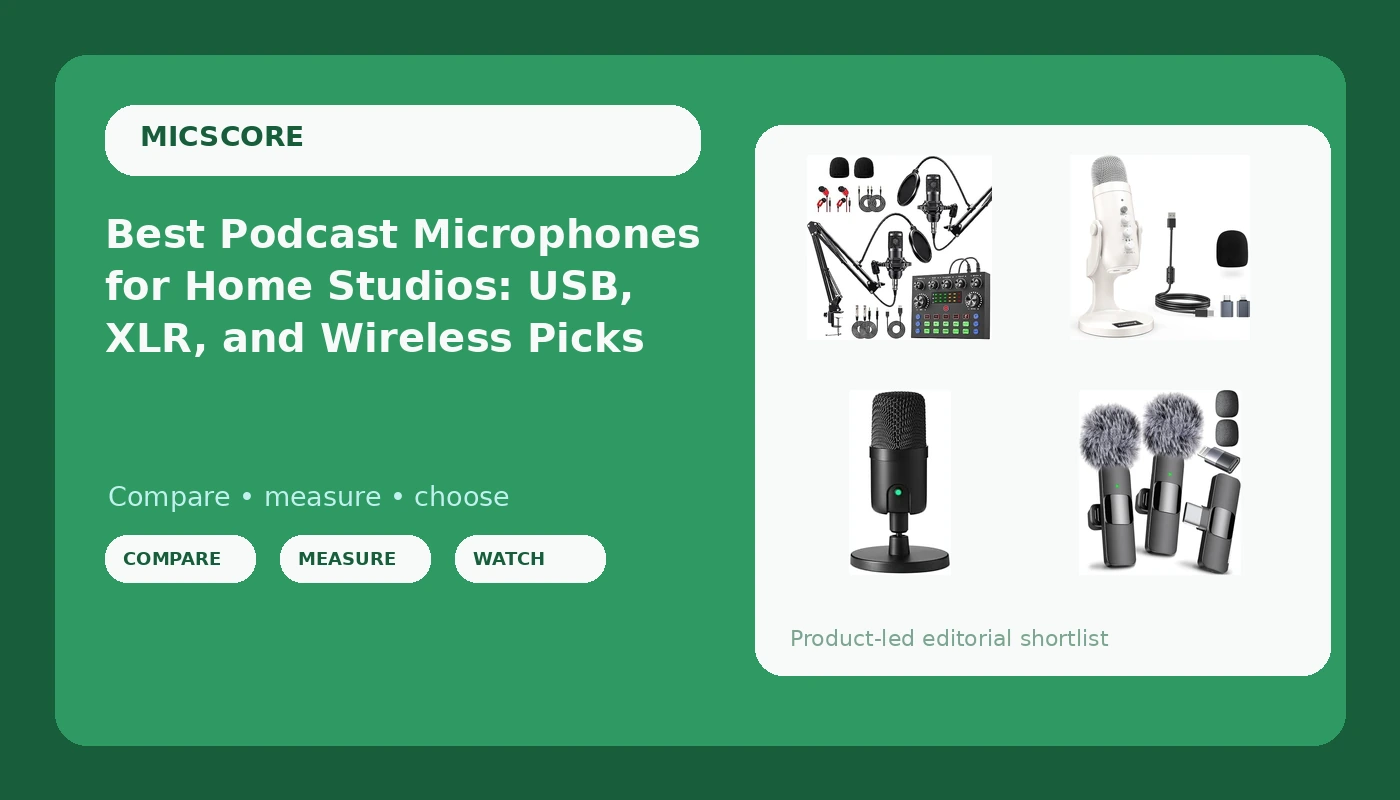
The best podcast microphones for home studios are not the most expensive ones on the shelf. Almost everyone records in a room they cannot fully control: a bedroom with a window over a busy street, a kitchen with a refrigerator cycling in the background, a shared apartment where a television comes through the wall. In that room, a microphone's job is narrower than the marketing suggests. It has to capture the voice directly in front of it, reject as much of everything else as it can, and be simple enough that you set it up and use it every week instead of recording around it.
This guide covers six microphones that represent the realistic ways into that job. One is a desktop dynamic that runs on USB or XLR. One is an all-metal XLR dynamic from a legacy brand. One is a small USB condenser, one is a wireless lavalier, one is a two-person bundle, and one is a cardioid USB condenser on an adjustable stand. They are not interchangeable, and the differences that decide which one belongs on your desk are rarely the ones printed largest on the box.
Related: USB vs XLR Microphones: Which Should a New Podcaster Buy First?
Quick answer
The FIFINE AmpliTank TANK6S Vocal Dynamic Microphone XLR/USB Desktop Mic is the strongest fit for a home podcaster who wants a dynamic capsule without buying an audio interface, because it offers both XLR and USB connections in a single desktop dynamic design. Choose the Shure MV7X instead when you already own an interface or mixer and want an all-metal XLR dynamic microphone with voice-isolating technology and an included XLR cable.
Podcast microphones worth comparing
Every microphone here is built for voice, but they solve the room problem in different ways. The three questions that separate them are how they connect, whether the capsule is dynamic or condenser, and what you actually get in the box.
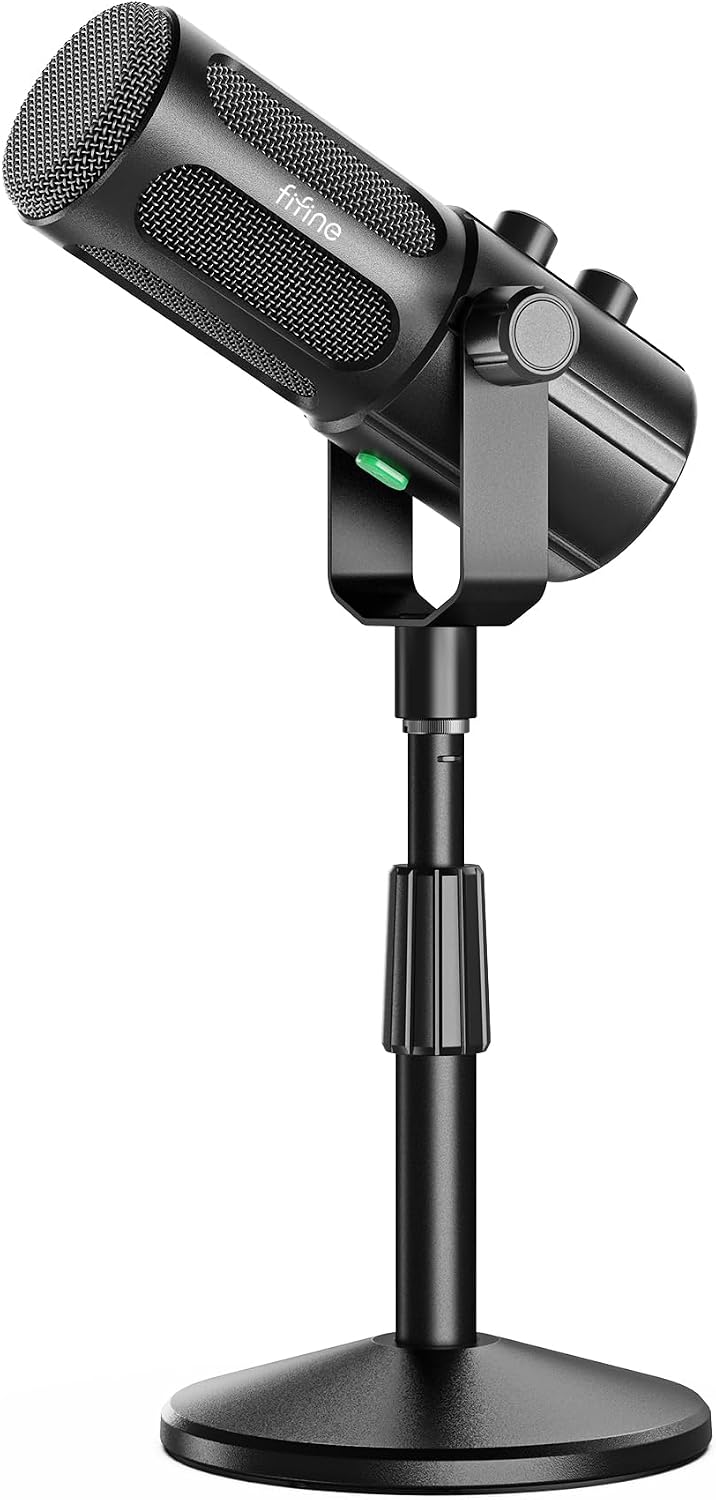
FIFINE AmpliTank TANK6S Vocal Dynamic Microphone XLR/USB Desktop Mic
A desktop vocal microphone with a dynamic capsule and both XLR and USB connections, so it can run straight into a computer now and move onto an interface later.
Visit on Amazon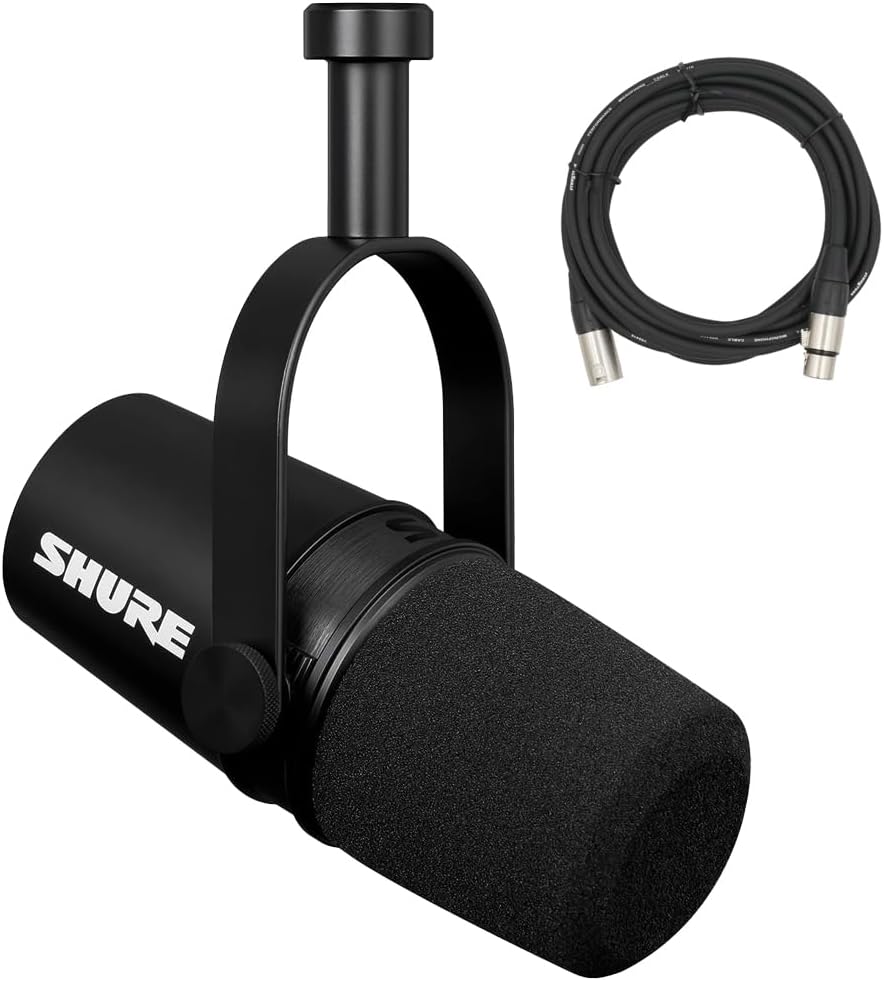
Shure MV7X XLR Podcast Microphone with XLR Cable - Dynamic Mic for Podcasting & Vocal Recording, Voice-Isolating Technology, All Metal Construction, Mic Stand Compatible, Optimized Frequency - Black
An XLR-only dynamic podcast microphone with voice-isolating technology, all-metal construction, an included XLR cable, and compatibility with standard microphone stands.
Visit on Amazon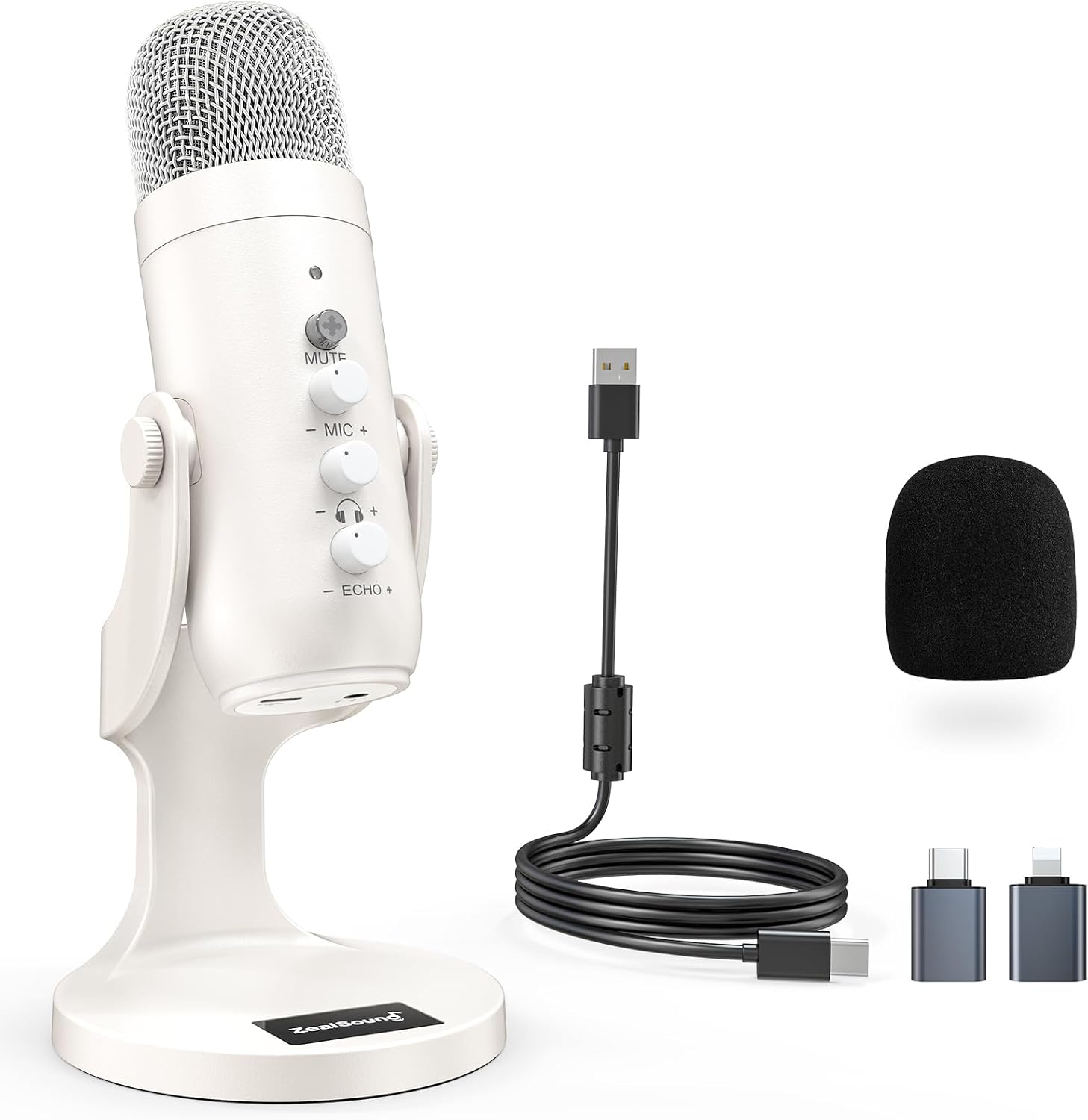
ZealSound Podcast Microphone for iPhone PC & Android, Noise Cancellation Mic with Gain Knob, Volume Adjustment & Mute Button, Monitor & Echo, for ASMR Podcasting Recording YouTube & TikTok - K66 White
A USB podcast microphone for iPhone, PC, and Android with a gain knob, volume adjustment, a mute button, monitoring, and echo.
Visit on Amazon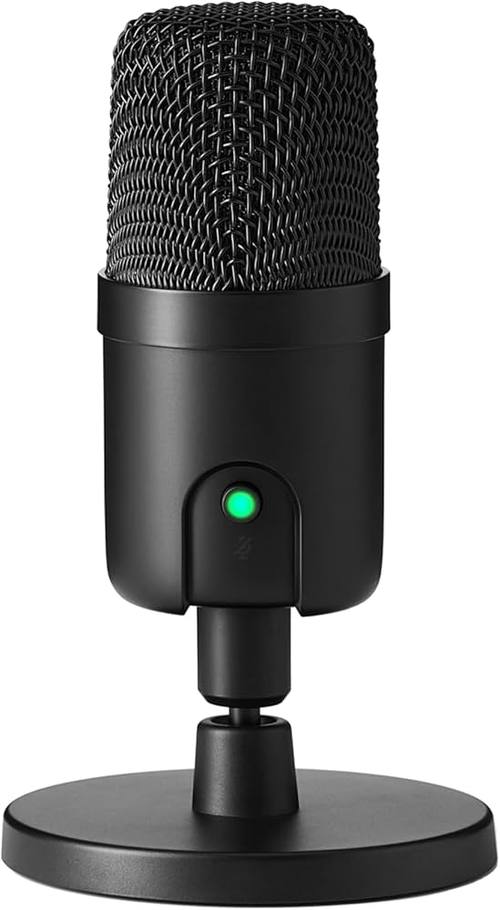
Amazon Basics Condenser Microphone for PC, Cardioid Pickup, USB Mic for Streaming, Recording, and Podcasting, 360° Adjustable Stand, Plug and Play, 5.8" x 3.4", Black
A cardioid USB condenser microphone with a 360-degree adjustable stand and plug-and-play setup for streaming, recording, and podcasting.
Visit on Amazon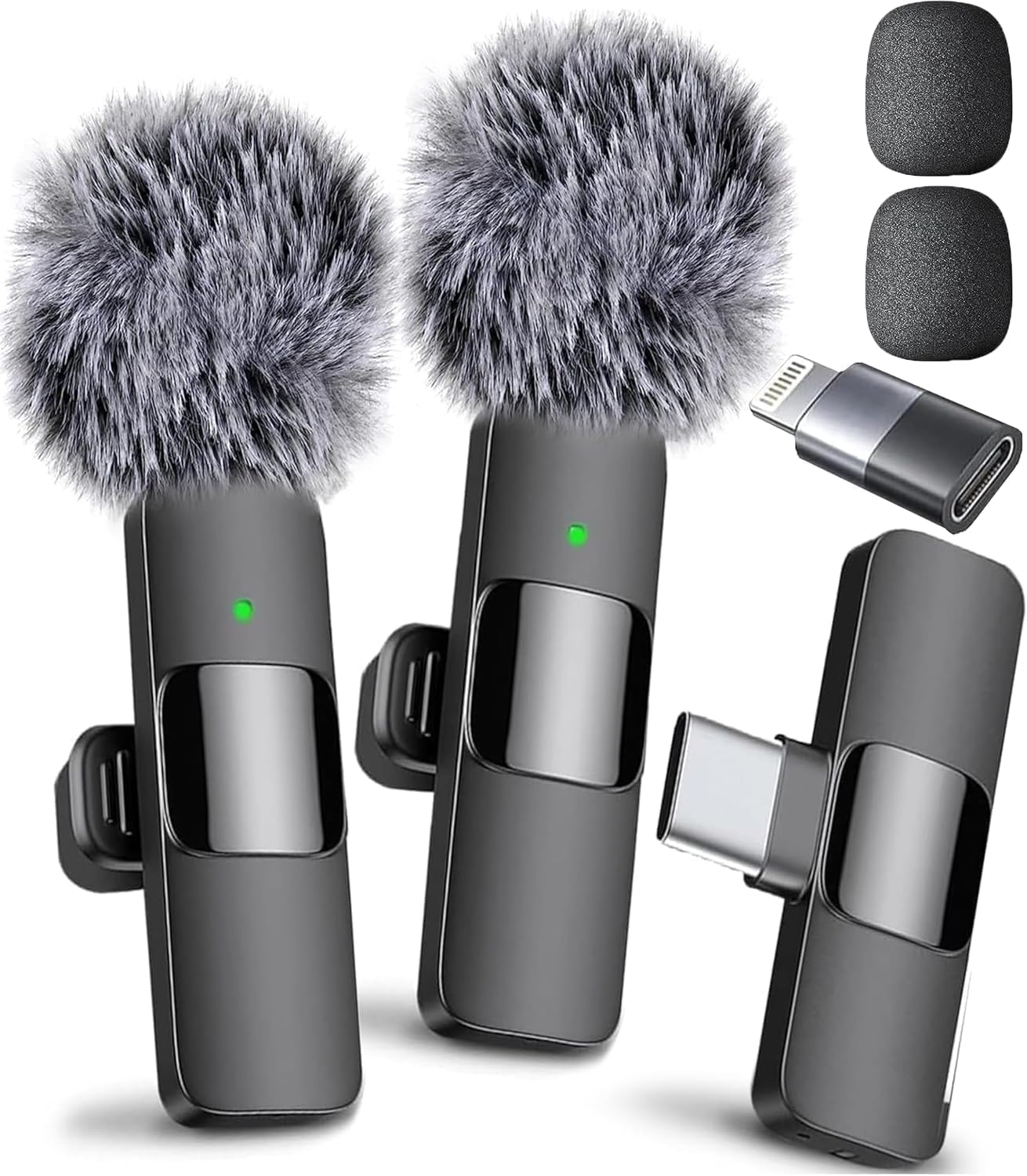
Mini Mic Pro (Latest Model, #1 Microphone for iPhone & Android, Wireless Mini Microphone, Clear Voice, Noise Cancelling, Lavalier Mic for TikTok, YouTube & Interviews
A wireless mini microphone for iPhone and Android, positioned as a lavalier-style option for TikTok, YouTube, and interview recording.
Visit on Amazon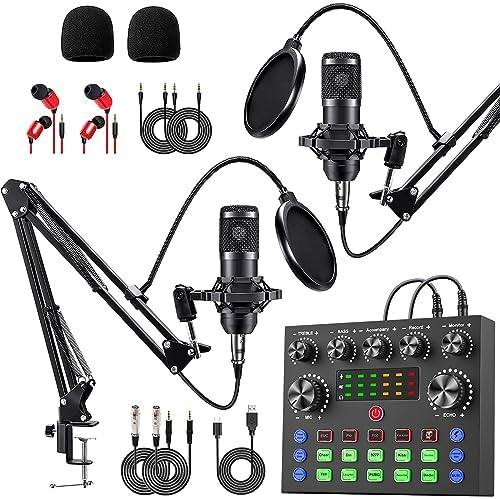
sktome Podcast Equipment Bundle for 2, V8s Voice Changer with BM-800 Podcast Microphone Bundle - Studio Condenser Microphone Perfect for Podcasting, Recording, Singing, Streaming and Gaming
A two-person podcast bundle built around the BM-800 condenser microphone and a V8s voice changer, aimed at beginners who want a complete kit rather than a single mic.
Visit on AmazonPrices and availability may change. Check the retailer for current details.
How these products were compared
This guide compares connection options, capsule type, pickup pattern and off-axis behavior, onboard controls, and what ships in the box. Product names, images, and retailer links are matched by ASIN so that every card points to the product shown.
Connection options are the first fork in the road. A USB microphone plugs into a computer or phone directly, an XLR microphone assumes you already own an interface or mixer, and a dual-output design covers both paths, which matters if you expect to upgrade later without replacing the microphone. Capsule type is the second fork. Dynamic capsules are less sensitive to the room around them, while condensers pick up more of everything, including the fan in the next room. For a home recording, off-axis rejection usually matters more than frequency response, because a cardioid pattern is the thing that keeps the refrigerator out of the take. Onboard controls decide how much you can fix at the microphone instead of in software: gain, mute, and monitoring all save time in the edit. Finally, the included accessories, cables, and mounting hardware determine what you still have to buy before the first recording.
How to choose the right podcast microphone
Start with the room, not the microphone. If you record in an untreated bedroom or kitchen, a dynamic capsule in a cardioid pattern gives you the best chance of a usable take, because it hears less of the space behind and beside it. That is why the two dynamics in this roundup lead the list. If your room already has absorption on the walls and a low noise floor, a condenser will reward you with more detail, and the small USB condensers here are the simplest way to find out whether that path suits you. Whichever capsule you choose, the working distance does most of the work. Close placement on a cardioid microphone brings in the proximity effect, which thickens the low end, and it also makes plosives louder, so a pop filter or a slight off-axis angle is worth more than any specification on the box. Set your gain so normal speech peaks well below the point where the signal clips, then leave the knob alone for the whole session. Consistency in the take is easier to mix than a perfect level on one sentence.
Connectivity comes second, and it should follow your workflow rather than your ambitions. If you record solo into a laptop and you do not want to manage an interface, a USB microphone is the shortest distance between you and a finished episode. If you already own an interface, an XLR microphone gives you cleaner gain staging and a microphone you can keep when the rest of the chain changes. If you record interviews away from the desk, a wireless lavalier solves a problem that no desktop microphone can solve, because it puts the capsule on the person instead of asking the person to stay near a stand. If your room is the weak point rather than the microphone, it is worth reading up on treating a small room for voice recording before you spend more on gear, because absorption and soft surfaces will improve every microphone on this list.
FIFINE AmpliTank TANK6S Vocal Dynamic Microphone XLR/USB Desktop Mic
The top pick is the one microphone here that does not force the interface decision on day one. The FIFINE AmpliTank TANK6S is a desktop vocal microphone with a dynamic capsule and both XLR and USB connections. Plug it in over USB and you are recording into your computer with no additional hardware. Move it to the XLR output later, when you have an interface or mixer, and the microphone comes with you. That dual path is the reason it sits above the other dynamics in this guide, and the dynamic capsule is the reason it suits the rooms most people actually record in.
The trade-off is placement. A desktop microphone lives on your desk, which means it is close to your keyboard, your mouse hand, and the vibration of the desk itself, and a sensitive capsule will report all of it. Keep the stand isolated from typing, keep the microphone angled toward your mouth rather than across the desk, and treat the surface under it as part of the recording chain. Also confirm the box contents for the connection you plan to use, since a dual-output microphone may ship with the cable for one path and not the other.
Alternatives to consider
The Shure MV7X XLR Podcast Microphone with XLR Cable - Dynamic Mic for Podcasting & Vocal Recording, Voice-Isolating Technology, All Metal Construction, Mic Stand Compatible, Optimized Frequency - Black is better suited to a podcaster who already owns an interface or mixer, wants an all-metal dynamic body, and values voice-isolating technology along with an XLR cable in the box. The ZealSound Podcast Microphone for iPhone PC & Android, Noise Cancellation Mic with Gain Knob, Volume Adjustment & Mute Button, Monitor & Echo, for ASMR Podcasting Recording YouTube & TikTok - K66 White is a stronger fit when you record into a phone or a laptop and want the controls on the microphone itself, including a gain knob, a mute button, and monitoring.
The Amazon Basics Condenser Microphone for PC, Cardioid Pickup, USB Mic for Streaming, Recording, and Podcasting, 360° Adjustable Stand, Plug and Play, 5.8" x 3.4", Black, the Mini Mic Pro (Latest Model, #1 Microphone for iPhone & Android, Wireless Mini Microphone, Clear Voice, Noise Cancelling, Lavalier Mic for TikTok, YouTube & Interviews, and the sktome Podcast Equipment Bundle for 2, V8s Voice Changer with BM-800 Podcast Microphone Bundle - Studio Condenser Microphone Perfect for Podcasting, Recording, Singing, Streaming and Gaming cover the remaining paths. The Amazon Basics model is the straightforward cardioid USB condenser with an adjustable stand for a desk setup. The Mini Mic Pro is the wireless, lavalier-style option for phone-first recording and interviews. The sktome bundle is the two-person kit, pairing a BM-800 condenser with a V8s voice changer for a beginner setup that includes more than a single microphone.
Day-to-day use and maintenance
Most microphone problems are setup problems. Set gain once for normal speaking volume, then speak at a consistent distance instead of leaning in for emphasis. Keep the capsule out of the path of your breath and your plosives, either with a pop filter or with a slight angle off the center of your mouth. If you use a boom arm, tighten the joints and route the cable so the weight of the cord is not pulling on the connector. If you use a desktop stand, put something soft under it, because a hard desk couples typing noise straight into the microphone. For USB microphones, plug directly into the computer rather than through an unpowered hub when you can, and set the operating system input level near the middle of its range so you have room to adjust in software.
Care is simple and mostly about not doing damage. Do not blow into a capsule to test it, since moisture and breath pressure are the two things a diaphragm does not enjoy. Wipe the housing and grille with a dry or very lightly dampened cloth rather than spraying liquid at the microphone, and follow the manufacturer's cleaning instructions for anything more involved. With a wireless lavalier, charge it before a session rather than during one, clip it where clothing does not rub against the capsule, and keep the receiver and transmitter paired before you start recording. Store condensers somewhere dry, and give any microphone a minute of room tone at the start of a session so you have a noise profile to work with in the edit.
Buying checklist
- Measure the desk space, stand clearance, and the distance from your mouth to the intended microphone position.
- Choose USB, XLR, or a dual-output design based on whether you already own an interface or mixer.
- Choose a dynamic capsule if your room is untreated, and a condenser only if your room is quiet and controlled.
- Confirm that the exact model includes the connection type, controls, and mounting hardware you need.
- Read the cleaning and maintenance instructions before the first session.
- Verify the current retailer price, availability, and return terms.
Final recommendation
Choose the FIFINE AmpliTank TANK6S Vocal Dynamic Microphone XLR/USB Desktop Mic when you want a dynamic desktop microphone that works over USB today and XLR later, without an interface purchase in between. Choose the Shure MV7X when you already own an interface or mixer and want an all-metal XLR dynamic microphone with voice-isolating technology and an included XLR cable. If you record into a phone, the ZealSound K66 or the Mini Mic Pro will fit that workflow better than either dynamic, and if you are starting a two-person show from nothing, the sktome bundle covers more of the setup in one purchase. Match the microphone to the room you have and the way you actually record, and the gear question stops being the thing that delays your first episode.