I edit other people's podcasts for a living, which means I hear every microphone mistake twice: once when the file arrives and once when I try to fix it. The mistake is almost never the microphone itself. It is the room, or it is whatever the microphone is plugged into. A cheap mic in a quiet corner beats an expensive mic next to a window every single time, and I have the edit sessions to prove it.
So this is a comparison of four very different answers to the same question: how do you capture usable voice audio for video, streaming, or a podcast without building a studio? The picks run from a wireless lavalier you clip to a shirt to a USB audio interface that turns a real XLR microphone into a recording rig. A good budget microphone setup for creators is not one product. It is the product that matches where you actually hit record.
If you shoot on camera and move around, the wireless lavalier is the pick. If you record at a desk and already own an XLR microphone, the USB interface is the pick. The collar mic is the cheapest way to get decent audio into a camera, and the CB microphone is a specialized tool that solves a noise problem nothing else here touches.
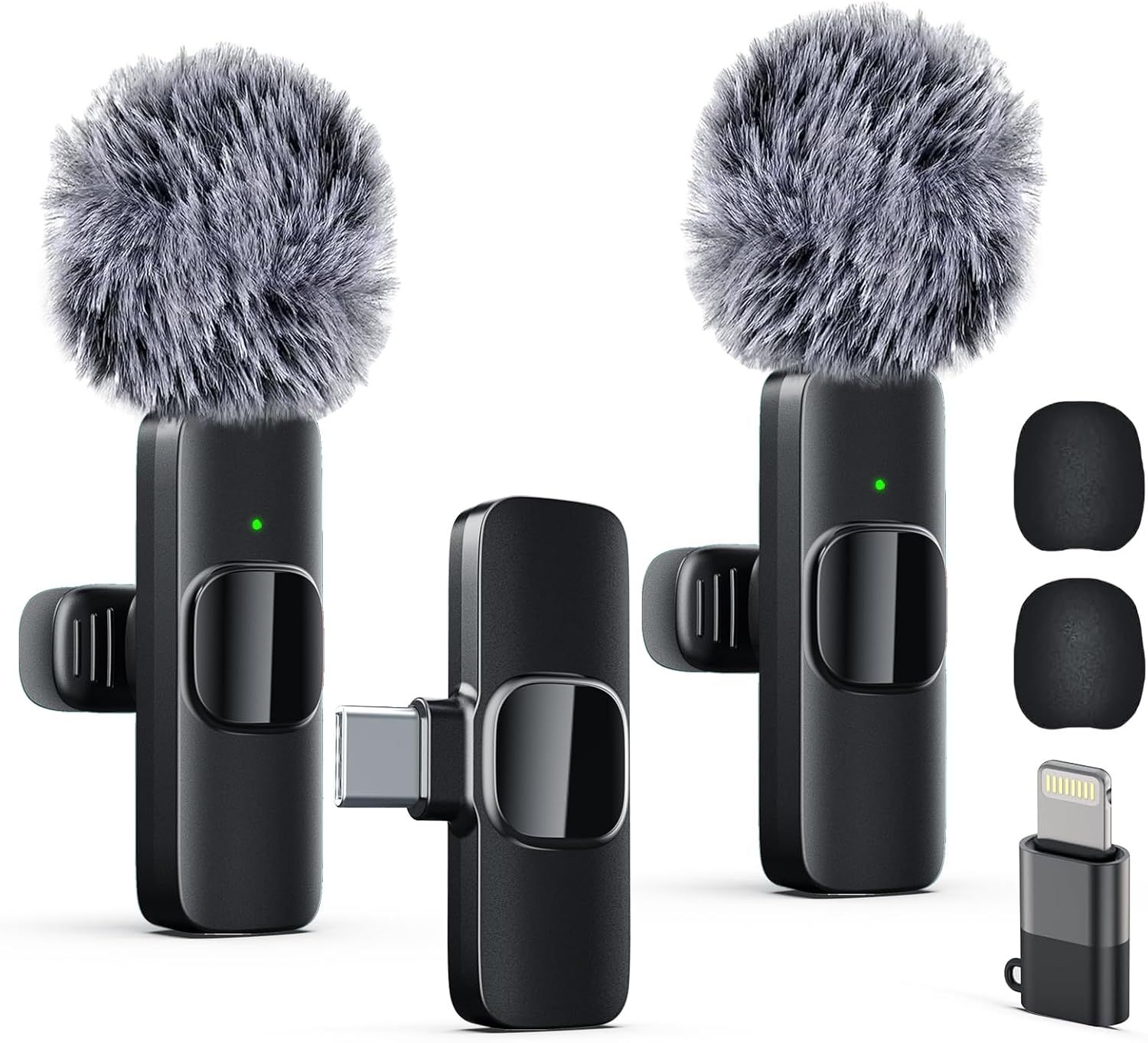
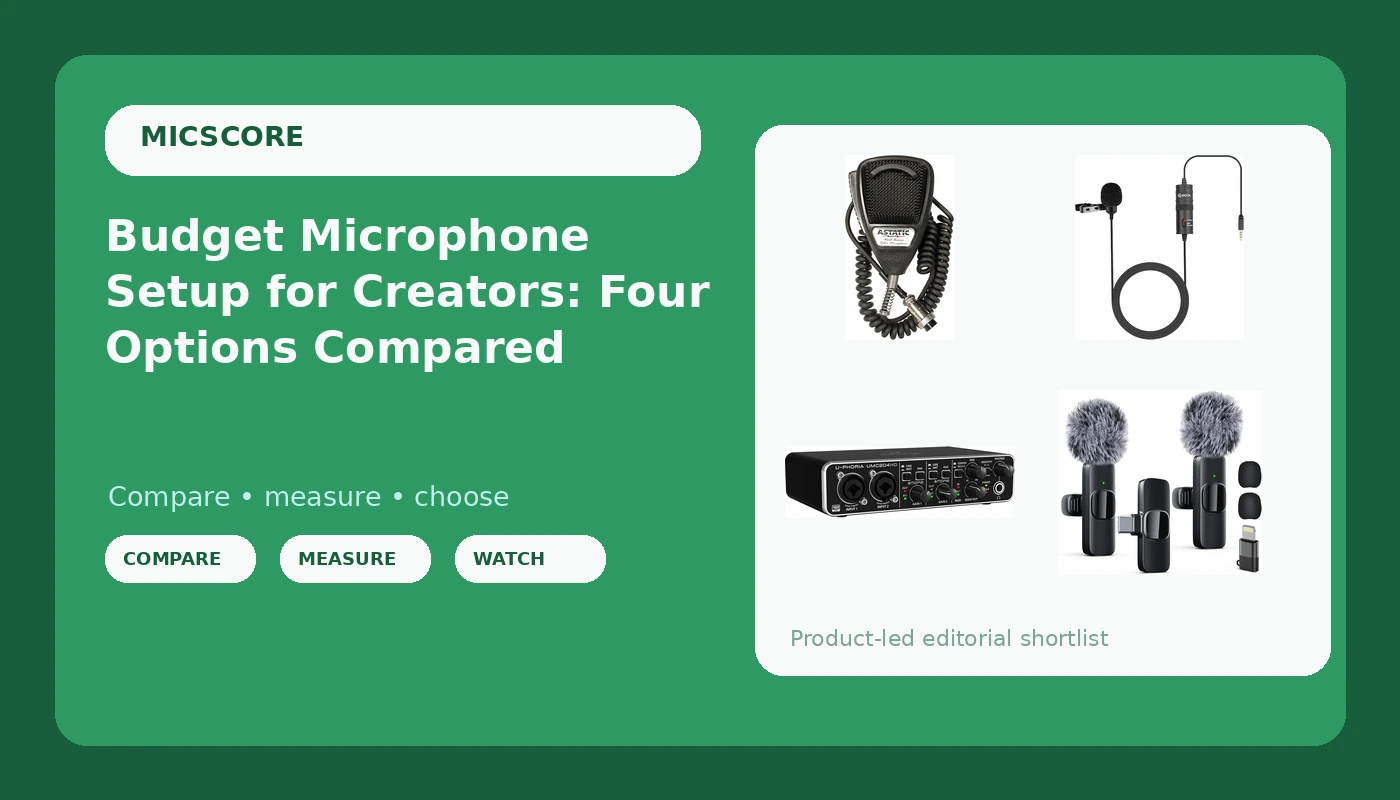
Labstandard Professional Wireless Lavalier Lapel Microphone for iPhone, iPad, mini Video Recording Mic forInterview Video Podcast Vlog YouTube&Livestream, Noise Reduction, Plug &Play
The only option here that follows you around; clips close to the mouth and plugs into a phone or tablet
Wireless convenience class, not a studio capture tool; clothing rustle and handling noise are on you

BOYA by M1 Collar Microphone for Smartphones Canon Nikon DSLR Cameras Camcorders Audio Recorder PC
Wired, battery-free, and works with cameras, phones, recorders, and PCs
Tether to the camera; it inherits your camera preamp, good or bad
<img src="/images/products/B00QHURLCW.jpg" alt="Behringer UMC204HD Audiophile 2x4, 24-Bit/192 kHz USB Audio/MIDI Interface with Midas Mic Preamplifiers
For Recording Microphones and Instruments
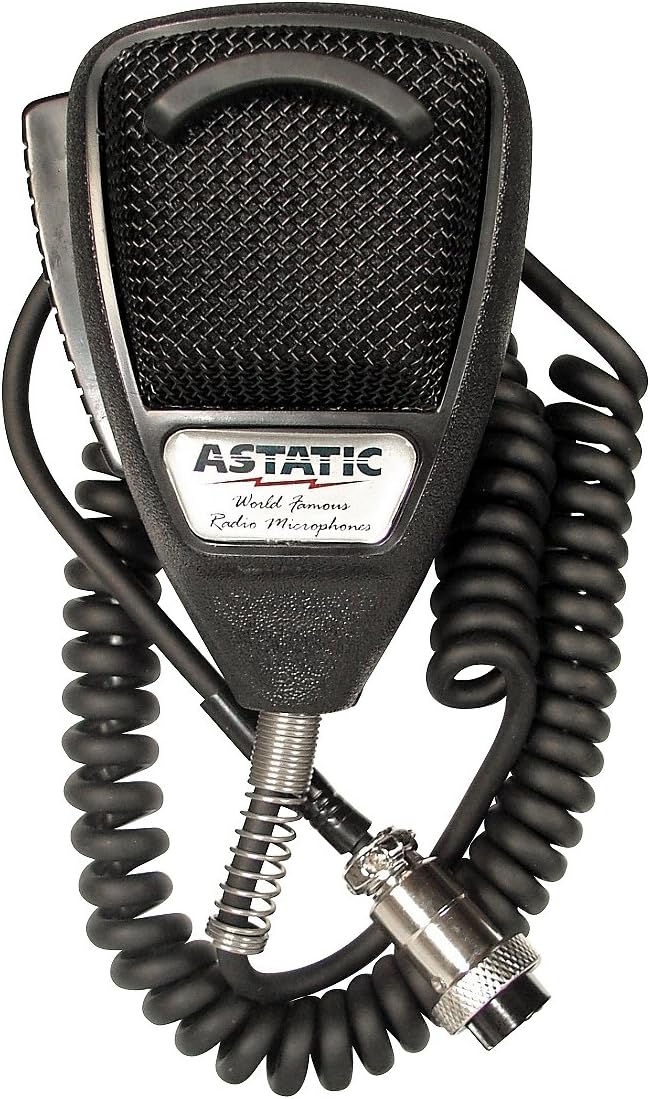
Astatic 302-636LB1 Black Noise Cancelling 4 Pin CB Microphone (Bulk),XLR
Noise-cancelling communications design that ignores a loud room at close range
Built for CB radio, not broadcast voice; four-pin wiring needs checking before you buy
Prices and availability were captured from Amazon Creators API and may change.
How I think about a comparison like this
I do not rank microphones by sound alone, because sound alone is not the variable that decides whether your recording is usable. I rank by three questions. What does it plug into? What does it reject? How likely are you to actually use it every week?
That third question matters more than people admit. A microphone that lives in a drawer because it needs an adapter, a stand, and a cable you have not bought yet is worse than a mediocre microphone that is already clipped to your shirt. The best gear is the gear that shows up.
The second question, what it rejects, is the one that separates these four products. Off-axis rejection is a polite way of asking how much of the room the microphone hears compared to how much of you it hears. In a treated studio this barely matters. In a kitchen with a refrigerator humming and a neighbor mowing a lawn, it is the whole ballgame.
Labstandard Professional Wireless Lavalier: for people who move
If your videos involve walking, gesturing, cooking, or holding a phone at arm's length, a lavalier solves a problem no desk microphone can. This is a wireless lapel system aimed at iPhone and iPad recording, with plug and play setup and noise reduction built in.
Why it matters is proximity. A lavalier clipped to a collar sits a few inches from your mouth, so your voice arrives at the capsule far louder than the room tone behind you. That single fact does more for audio quality than any equalizer preset. It is the same principle as the proximity effect you read about in every microphone guide, applied by moving the microphone instead of by turning a knob.
The trade-offs are physical. The mic hears your clothing, your breathing, and every time you touch the clip. Mount it on a collar or a button placket, not on a loose t-shirt, and give the cable some slack so it is not tugging on the capsule. Handling noise travels through cables and clips, not through the air.
The honest limits: a wireless system in this class is built for convenience, not for studio capture, and the noise reduction is there to rescue bad rooms rather than to make a good one better. If you record seated in a quiet room and never move, you are paying for features you will not use. If you record walking tours, cooking videos, or interviews where the camera stays put and you do not, this is the only item here that fits the job.
BOYA by M1 Collar Microphone: the camera-first option
The BOYA by M1 is a wired collar microphone that runs to smartphones, DSLR and mirrorless cameras, camcorders, audio recorders, and PCs. It is the least glamorous product in this comparison and probably the most useful one for a certain kind of creator: the person shooting interviews, vlogs, or run and gun footage on a camera whose built-in microphone is terrible.
The wired connection is the point. No batteries, no pairing, no charging case to forget at home. You plug it in and it works, which sounds like a low bar until you have watched an entire interview get recorded to a wireless receiver that was never switched on.
Where it loses is the cable. A wired collar mic tethers you to the camera, which is fine for a seated interview and miserable for anything with movement. It also inherits whatever preamp your camera has, and camera preamps are the weak link in most cheap video rigs. If your camera input is noisy, this microphone will faithfully deliver that noise. The fix is to record to a separate recorder or to a phone with a decent input, which is where the interface below starts to look interesting.
For a seated two-person interview, though, a pair of wired collar mics into two channels is still one of the most reliable cheap setups in video. Nothing to charge, nothing to pair, nothing to sync later if you record straight to the camera.
Behringer UMC204HD: for the person who already owns a microphone
The UMC204HD is not a microphone. It is a USB audio and MIDI interface with two inputs, 24-bit/192 kHz conversion, and Midas microphone preamplifiers. It belongs in this comparison because it is the answer to a question people ask me constantly: I have a decent XLR microphone, so why does it sound thin and quiet?
Usually because it is plugged into a camera, a cheap adapter, or a laptop input that was never designed for a microphone. An interface gives you a real preamp with real gain, phantom power for condensers, and a headphone output you can actually monitor through. Gain staging is the difference between a recording you can edit and a recording you have to rescue.
Who should buy it: someone who has already decided on a dynamic XLR microphone and wants a clean path into a computer. Who should not: someone who wants to plug a microphone into a phone and start filming. The UMC204HD is a desk product. It expects a computer, a stand, and a little patience with routing.
One note on the preamps. They are the reason this box gets recommended so often for the money. Preamps are not a glamorous spec, but they are the part of the chain that decides how much clean gain you have before the noise floor arrives. More clean gain means you can keep the microphone close, run the input lower, and let physics do the work instead of software.
Astatic 302-636LB1: the noise-cancelling odd one out
The Astatic 302 is a black noise-cancelling communications microphone built for CB radio, and it is the wild card here. It is a dynamic design, it ships in bulk packaging, and its entire engineering brief is to pick up a voice at close range in a loud environment while ignoring everything else.
That brief is not as far from podcasting as it sounds. Noise cancelling in a communications microphone is mostly a mechanical trick: a tight pickup pattern plus a very close working distance. Put a microphone two inches from your mouth with a pattern that rejects the sides, and the room drops out of the recording whether or not you have treated it. For someone recording next to a street, a fan, or a shared wall, that is exactly the behavior you want.
The catches are real. It is built for radio communication rather than broadcast voice, so expect a narrower, more utilitarian tone than a dedicated voice microphone. The four-pin wiring is not what a standard three-pin XLR input expects, so confirm the pinout and whatever adapter or cable you would need before you order. Bulk packaging means you get the microphone, not a presentation box.
Treat it as a problem solver, not a first microphone. If you fight traffic noise every time you record, it is a genuinely interesting cheap fix. If you record in a quiet room, it is a solution looking for a problem.
The room is the microphone
I will keep saying this until it stops being true. Every product above is downstream of your room. Room tone, the low hum of a refrigerator, the bounce off bare walls, the rumble of a truck outside: all of it arrives at the capsule, and none of it can be removed without removing some of your voice with it.
The practical version of room treatment is not foam. It is a closet full of clothes, a corner with a rug and a bookshelf, a blanket behind the person speaking, and a microphone placed close enough that the room is competing with your voice rather than matching it. Moving a microphone from two feet to four inches from your mouth does more than any plugin I own.
Then there is the desk. If your microphone sits on the same surface as your keyboard, every keystroke is a drum hit. A boom arm or a shock mount is not an accessory, it is part of the microphone. I have heard a good microphone ruined by a rigid desk stand more often than I have heard a bad microphone ruined by anything else.
Plosives and sibilance are the last mile. A pop filter, or even a slight off-axis angle with the microphone aimed at the corner of your mouth instead of straight down your throat, fixes the hard P and B sounds before they reach the recording. Fixing them later costs you detail.
Trade-offs worth admitting
Every item here has a hole in it, and the holes are the reason the list has four entries instead of one.
The wireless lavalier wins on freedom and loses on isolation. It is close to your mouth, but it is also close to your shirt, your necklace, and your hand every time you adjust it. Buy it if your videos move. Skip it if you sit still.
The collar mic wins on price and simplicity and loses on cable. It also depends entirely on the preamp it is plugged into, which is the single most common reason people think a perfectly good microphone sounds bad.
The interface wins on quality per dollar for anyone with an XLR microphone and loses on convenience. It is not a mobile product, it needs a computer, and it will not help you at all if you do not already own a microphone to plug into it.
The CB microphone wins on noise rejection and loses on versatility. It was designed for one job, it does that job well, and it is the wrong first purchase for almost everyone reading this.
What I would buy first
If you shoot video on a phone and you move while you talk, buy the wireless lavalier. It is the shortest path from a phone in your hand to audio that does not sound like a phone.
If you shoot interviews on a camera and you sit down, buy the collar mic. Wired is boring and boring is reliable.
If you already own an XLR microphone and you are recording into a laptop, buy the interface. That purchase will improve every future microphone you own, which is not true of any other item on this list.
If your recordings keep losing to a noisy street or a loud appliance, the noise-cancelling CB microphone is worth a look, as long as you verify the connector first.
And if you have not spent anything on the room yet, spend it there. A blanket, a rug, and a closet cost less than all four of these products combined, and they will outlast every one of them.
The short version
There is no single best microphone for creators, only the best microphone for the place you record. The wireless lavalier solves movement. The collar mic solves camera audio on a budget. The interface solves the gap between a real microphone and a computer. The CB microphone solves noise. Pick the problem you actually have, ignore the spec sheets that brag about frequency response ranges nobody can hear, and stop treating an upgrade as the answer to a room problem. The room was always the microphone.