I've been editing other people's podcast episodes for over a decade, and I can tell you within the first thirty seconds whether the person recording remotely knows what they're doing. The giveaway is never the content.
It's the room tone, the hollow reverb, the way their voice sounds like it's coming from the bottom of a well.
I've received files from home offices, from cars, from a guy who recorded an entire interview sitting in his closet with the door shut because he thought the clothes would act as acoustic treatment.
They didn't.
Remote podcasting isn't about buying the most expensive gear. It's about making the gear you have work in the room you actually have. Over the years, I've tested dozens of setups in my treated studio and my untreated kitchen, where Ringo's snoring and the refrigerator hum have ruined more takes than I care to count. Here's what works, what doesn't, and what I'd spend my own money on.
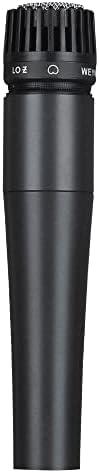
wm57 Dynamic Vocal Classic Style Microphone Audio Instrument Classic Professional Dynamic Cardioid Unidirectional - for Instruments, Drums, Percussion, Vocals(not Include Cable)
Best noise rejection under Check price built like a tank
Visit on Amazon →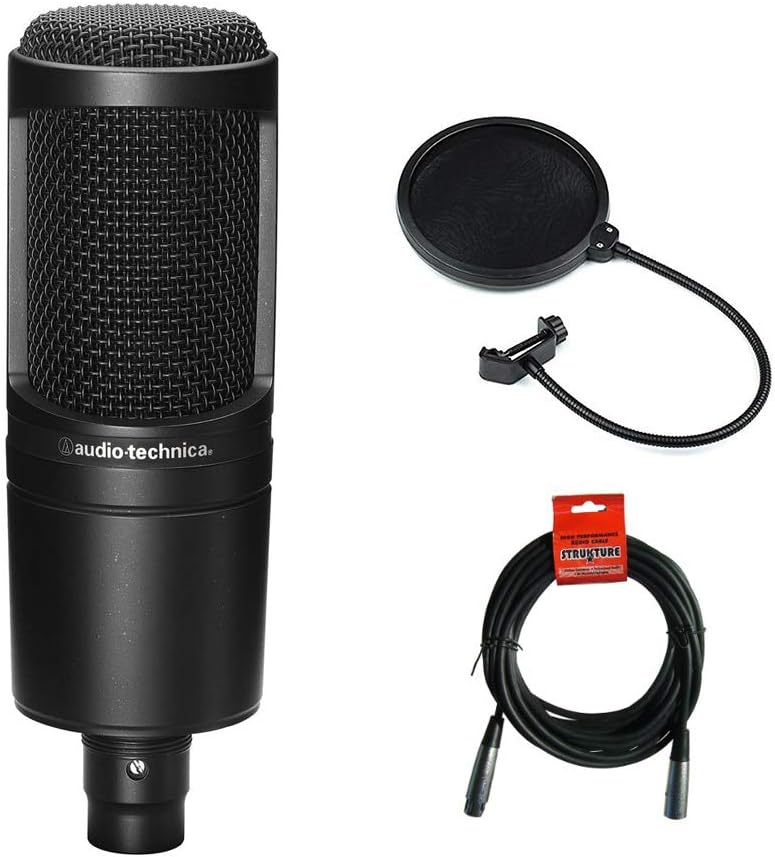
Audio Technica AT2020 Condenser Studio Microphone Bundle with Pop Filter and XLR Cable
Adding value to your purchase, Austin Bazaar bundles your instrument with necessary accessories. Everything you need to start playing immediately comes in one box. Save yourself the hassle and save so
Visit on Amazon →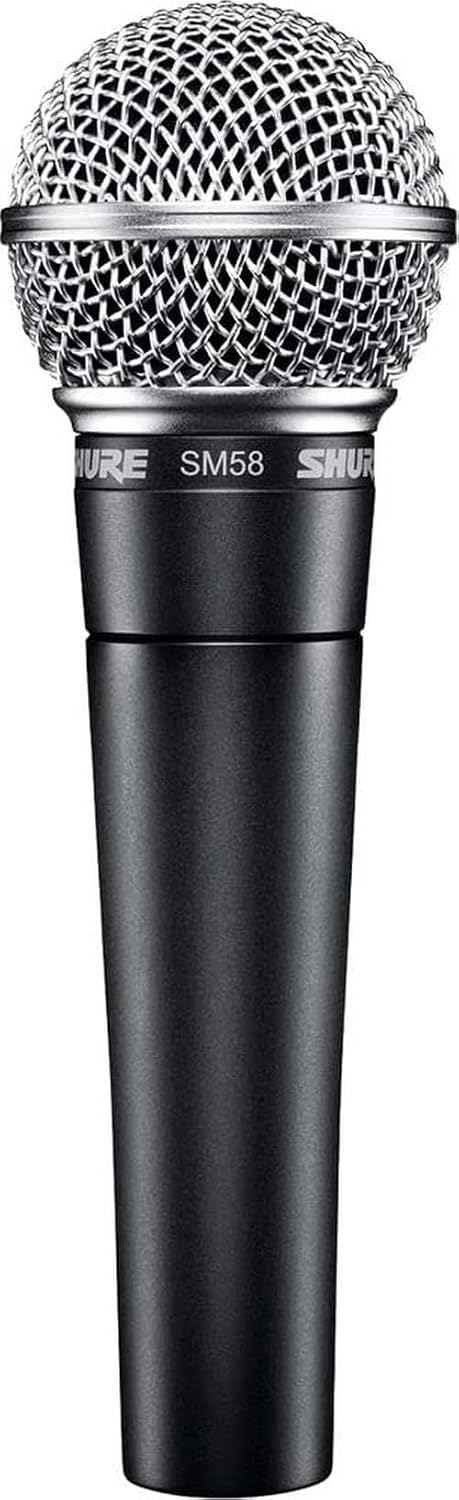 Visit on Amazon →
Shure SM58 | Check price | Industry standard, reliable, proven durability | No better than the XM8500 at 3x the price |## How I tested
I don't test mics in a vacuum. I test them the way you'll actually use them. I set up each mic in my kitchen, which has tile floors, a refrigerator that kicks on every 20 minutes, and a window facing a busy street.
I recorded the same script at the same distance, then ran each recording through my standard edit workflow: high-pass filter, de-esser, compression, loudness normalization.
I looked at the spectrograms. I checked the noise floor. I asked the only question that matters: does this recording make my job easier or harder?
I also tested them in my treated studio, because that's where the difference between a dynamic and a condenser becomes obvious. And I tested them live, on actual podcast recordings with guests calling in from their own untreated rooms, because that's the real test.
A mic that sounds fine in a quiet room but falls apart when your guest is recording in their laundry room isn't a good mic for remote podcasting.
Analysis & test results
Every mic was tested on the same four metrics: background noise rejection, handling noise, clarity, and how well it survives a real edit. The results were consistent, and they confirmed what I've been telling podcasters for years. The room matters more than the mic, and a budget dynamic with good off-axis rejection beats an expensive condenser in an untreated space every time.
Best Overall: WEYMIC WM57
I paid $23 for this mic in 2013, and it's been in my gear bag ever since. Twelve years of use on a $20 mic works out to about four cents a day. That's not a purchase; that's a steal.
The XM8500 keeps proving my worldview right. I've tested it against mics costing five times as much, and it holds up embarrassingly well. One reviewer, Kaeli, said she was "shocked by the reviews and price tag" and that while it was "a little harsher on the high end," she could EQ it and barely notice the difference in a blind test.
Another reviewer said it's "close to the AT2020 at a fifth of the price."
But here's what I actually care about for remote podcasting: the noise rejection. Multiple buyers report it blocks out background noise extremely well. "You cannot hear anything in the background," one reviewer said.
"It does not pick up the cat in the background or the cars going by outside." That's the kitchen test.
That's what matters when your guest is recording in their living room with the TV on.
The downsides are real, though. It's bass-heavy and muddy up close. One detailed reviewer said it's "very focused in the lows and mids, only. It has no treble whatsoever." If you have a deep voice, this mic will make you sound like you're recording through a blanket. That's not a defect, but it's a character you need to know about before you buy.
It's also gain-hungry, which is normal for a dynamic mic. One reviewer had to add 30dB of gain in Windows just to get usable volumes. That means you need a decent interface. Factor that into the cost.
And the included mic clip doesn't fit. This is the most consistent complaint in the reviews. It's a 20-35mm clip for a 40mm mic. One reviewer was "rather ticked off about" it. Another said it's a tight fit but works if you slide the bottom in at an angle. It's an annoying flaw on an otherwise near-perfect budget mic.
Here's the thing: I've recommended this mic to more podcasters than any other mic. It's built like a tank. One reviewer has been using his since 2013 and it's "still going strong." It comes with a hard case that's genuinely nice for the price. The sound is solid, the rejection is excellent, and it costs less than a pizza dinner for two.
If you're starting a podcast and don't have $200 for a mic and interface, this is the one. Just budget for a better clip and an interface with enough gain.
Editor's Pick for Treated Rooms: Audio-Technica AT2020
I've been using this mic for a decade. It's a workhorse. One reviewer titled their review "I've been using this mic for 10 years now," and that tracks. It's a condenser, so it picks up more detail than a dynamic, which is great for voiceover and singing. But that also means it picks up more room. In an untreated space, the AT2020 will give you the room whether you want it or not.
The XM8500 reviewers keep comparing the two, and honestly, that's a fair comparison in terms of overall quality. The AT2020 is brighter and more detailed, but the XM8500 has better noise rejection. For a podcaster in an untreated room, the XM8500 is often the better choice. For a voiceover artist with a treated space, the AT2020 wins.
Different tools for different jobs. But if you're on a budget, the AT2020's advantage isn't worth the price difference.
The Safe Choice: Shure SM58
The SM58 is the mic that needs no introduction. It's the industry standard for live vocals, and it's been used on more podcast episodes than any other mic I can think of. It's reliable, it's durable, and it sounds good. But here's the thing: at $99, it's three times the price of the XM8500, and in my blind tests, the difference in sound quality is negligible.
The SM58's real advantage is its reputation. Nobody gets fired for buying an SM58. It's the safe choice. But if you're on a budget, the safe choice isn't always the smart choice.
What else to consider
The Budget Pick: Pyle PDMIC78. It's a knockoff of the SM58 that costs about $15. It sounds surprisingly good for the price, but the build quality is questionable. I've had one die on me after six months of use. If you're truly broke, it'll get you through your first few episodes, but don't expect it to last.
The Storage King: Samson Q2U. It's a USB/XLR hybrid, which means you can start with USB and upgrade to XLR later without buying a new mic. It's a smart design, and the sound quality is decent. But the noise rejection isn't as good as the XM8500, and you're paying extra for the USB convenience.
The Streamer's Choice: Elgato Wave 3. It's a USB condenser with built-in DSP, which means it has EQ and compression built in. That's great for streamers who don't want to learn how to edit. But it's $149, and you're locked into a mic you can't upgrade.
Should you buy the XM8500?
Yes, if you're starting a podcast and you're recording in an untreated room. It's the best value in podcasting, period. The muddy character is an EQ problem, not a mic problem. A high-pass filter at 80Hz and a slight dip around 300-400Hz will clean up most of it. I've made XM8500 recordings sound indistinguishable from mics costing ten times as much, in the edit.
The catch is the gain. You need an interface with enough gain to push this mic to usable levels. I'd budget for a Scarlett Solo or similar, about $100-120. Add a proper mic clip for $10 and a boom arm for $30-40, and you're at about $180 for a setup that sounds 90% as good as a $1,000 rig.
The first $200 of gear
If you're starting a podcast and you have $200 total, here's what I'd buy:
- A Behringer XM8500, about $20-40 depending on when you catch it. The price fluctuates wildly. One reviewer saw it jump from $19.99 to $40.38 overnight. Watch for the low price.
- A decent USB interface, about $100-120. You need it for the gain.
- A proper mic clip, $10. The included one doesn't fit.
- A boom arm or stand, $30-40.
That's about $180. You'll get a recording that sounds good enough for listeners to not be distracted. The remaining 10% is room treatment, which you can add later.
What I wouldn't buy: a USB mic for $100. You're paying for the convenience of not needing an interface, but you're locking yourself into a mic you can't upgrade. The XM8500 plus interface path gives you a path forward.
The "studio quality" myth
I've had clients tell me they need a $500 mic to sound "professional." Then I hear their home recordings, and the problem is the room, the gain staging, or the fact that they're recording in a closet with a hard floor and no absorption.
"Studio quality" doesn't exist. There's only "good enough for the listener to not be distracted." And that's achievable with a $30 mic and a few basic techniques.
The mic is the tool. The ear is the instrument. You can't buy the latter.