Most people who go looking for a podcast microphone setup are shopping for the wrong thing. They want a model number and a price. What they actually need is a chain: a room that isn't fighting them, a capsule close enough to the mouth that the room stops mattering, and gain set once and then left alone. The microphone is the fun part and the least important part. I have watched a four-figure condenser lose to a cheap dynamic because the condenser was sitting three feet from a mouth in a room with a window unit running.
I'm Jonas. I edit podcasts for other people for a living, which means I hear the same four mistakes on repeat: mic too far, gain too hot, no pop filter, untreated room. Nobody emails me about frequency response curves. They email me about a hum, a plosive, or a fan.
So this is the order of operations I hand to a friend who wants to start recording this weekend. Two mic paths, one setup workflow, and a short list of things to stop worrying about.
Why you should trust me
I've spent more than a decade editing other people's audio and recording voiceover in a small studio in Brooklyn. That work is mostly subtraction. I take out the room, the breath, the plosive, the chair creak, the laptop fan that nobody noticed until playback. After enough episodes you stop hearing "good mic" and start hearing "good chain," because the chain is what survives an edit.
I've recorded in a treated room and in an untreated kitchen, because that is where most podcasters actually record. I hold the same standard in both places: if a setup only works in a perfect room, it doesn't work for the person reading this.
How I picked and how I tested
This is not a mic shootout. It's the filter I run every microphone through before I recommend it to someone recording at home.
Four questions. First, does it need anything else to work? A USB mic that plugs straight into a laptop is a different commitment than an XLR mic that needs an interface, a cable, and a learning curve. Second, how much room does it hear? Off-axis rejection matters more than frequency response for a home podcaster with a street outside and a refrigerator down the hall. Third, does the mount hold? A mic that sags toward the desk after a month is a mic you quietly stop using. Fourth, does it survive a real edit? I care about how a track sounds after noise reduction and compression, not how it sounds in a five-second A/B.
The two mics below sit at two ends of that filter: one that lives on a phone, one that lives on a desk and can grow into an XLR setup later. Neither is a magic box. Both are honest tools.
Two mic paths that work in a real room
Pick the path that matches what you actually record, not the one that looks best in a video thumbnail. If you make short video, interview people on the move, or record to a phone, you want a lav. If you sit at a desk and talk for an hour, you want a dynamic mic on an arm.
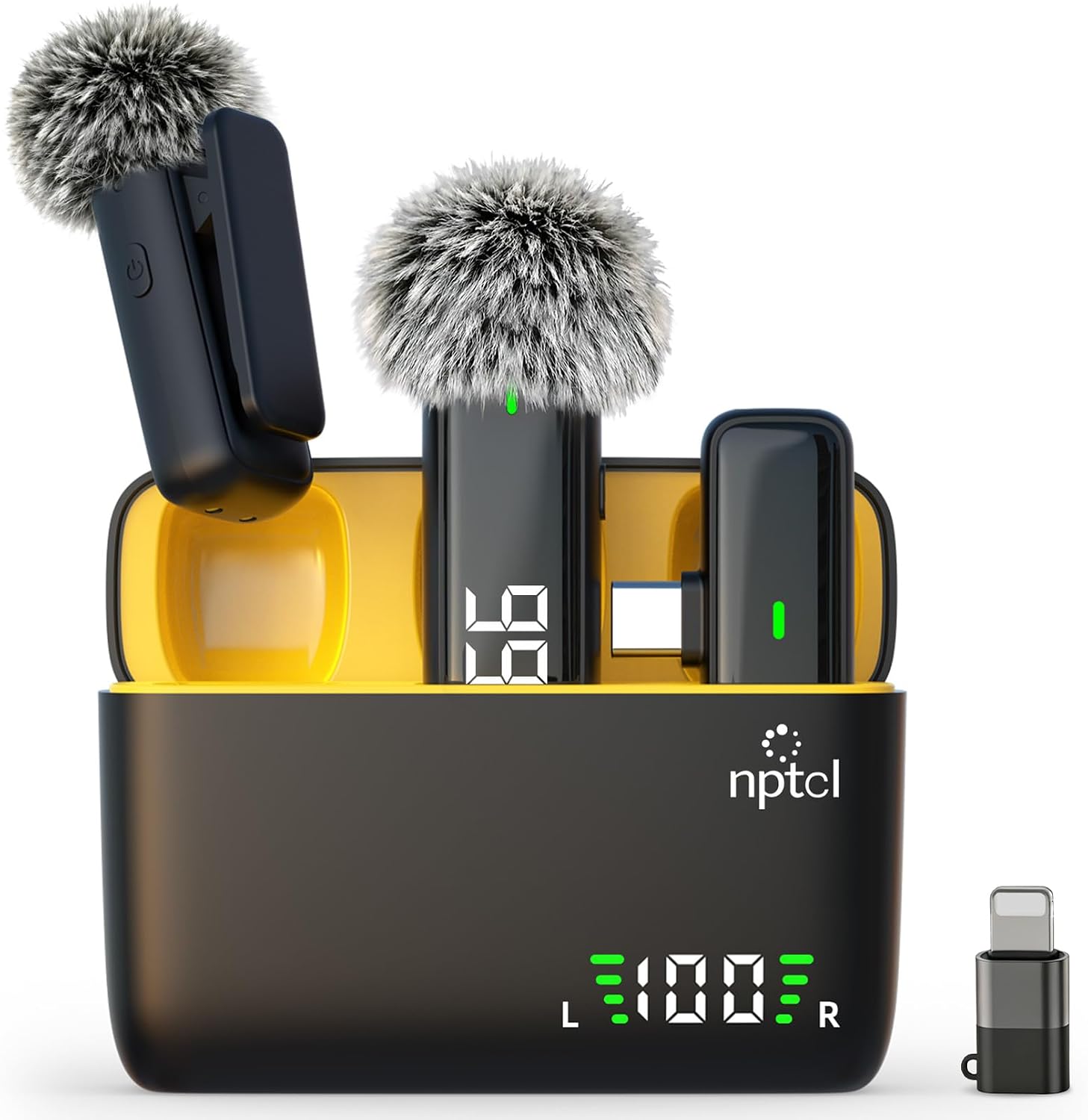
Budget pick: NPTCL Wireless Lavalier Microphone for iPhone iPad Android, Mini USB C Mic
 Visit on Amazon →
This is the path for creators whose camera is a phone. It's a clip-on wireless lavalier with a mini USB-C receiver, built for iPhone, iPad, and Android, and it solves the biggest problem with recording to a phone: the mic now sits on your collar instead of three feet away in your hand.
That distance is the whole ballgame. A lav clipped near your collarbone picks up your voice loud and everything else quiet, which is exactly the ratio you want in an untreated room. It's also why a lav is unforgiving about clothing. Clip it to a collar or a lapel, keep the cable from rubbing against fabric, and check for rustle before you roll.
Flaws but not dealbreakers: A lav is not a room-rejection champion. It sits close to your body and hears a wide area, so it will happily pick up a passing truck, a ceiling fan, or a co-host's chair. It's a proximity tool, not a noise-cancelling tool.
Anyone shooting video, doing field interviews, or recording to a phone without a desk should start here.
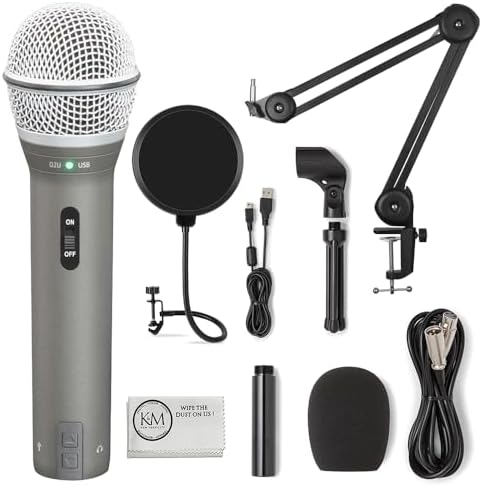
Our pick: SAMSON Technologies Q2U USB/XLR Dynamic Microphone Recording and Podcasting Pack | Gray Bundled with Pop Filter + Mic Arm + Microfiber Cleaning Cloth (4 Items)
 Visit on Amazon →
This is the path for a seated show. It's a dynamic microphone with both USB and XLR outputs, sold as a pack with a pop filter, a mic arm, and a cleaning cloth. That bundle is doing more work than it looks like. The arm gets the mic off the desk, which removes typing and desk thumps. The pop filter handles plosives, the p and b sounds that spike a waveform and are miserable to repair in editing.
Dynamic is the right choice for a home room. Dynamics are less sensitive by design, which is another way of saying they hear less of your kitchen. In a normal apartment, a dynamic with an arm and a pop filter will beat a more expensive condenser sitting on a desk stand almost every time.
The dual output is the quiet feature. Start on USB and skip the interface entirely. When you eventually want a mixer or an audio interface, the XLR output means the mic comes with you instead of getting replaced. That's the difference between a purchase and an upgrade treadmill.
Flaws but not dealbreakers: A dynamic needs more gain than a condenser, so you'll push the level higher and hear more of your preamp's noise floor. Fix that with distance, not with a hotter knob. And a bundled arm is a bundled arm. Keep the joints snug and it will hold.
Anyone recording a weekly show at a desk, with or without an interface, gets the most out of this pack.
The actual setup workflow
Now the part that decides whether any of this sounds good.
Step one: decide where the mic lives. Phone in hand, walking around? Lav. Sitting at a desk for an hour? Dynamic on an arm. Don't buy a desk mic for a show you record in a car, and don't buy a lav for a show you record sitting still.
Step two: close the distance. Six inches from your mouth, angled slightly off to one side so you aren't breathing straight into the capsule. This is the proximity effect working for you: closer means more low end and less room. Back off to a foot and you've turned the room back on.
Step three: get the mic off the desk. A mic sitting on the same surface as your keyboard hears every keystroke through the desk itself. An arm, a boom, or even a stack of books under a stand fixes this. It is the cheapest improvement in home audio.
Step four: set gain once. Speak at your normal volume, watch the meter, and set the level so your loudest moments land well below the ceiling. Aim for peaks with room to spare, not a meter that touches the top on every laugh. Then stop touching the knob. Gain staging is a decision, not a performance.
Step five: use a pop filter. Plosives are not a mic problem, they're a distance and air problem. A pop filter an inch or two in front of the capsule, plus speaking slightly across the mic instead of straight into it, removes most of them before they're ever recorded.
Step six: soften the room. You don't need panels to start. Stand in front of a closet full of clothes, hang a moving blanket behind you, or roll a bookshelf next to your desk. Hard, flat, parallel surfaces are what make a room ring. Break them up.
Step seven: hunt the noise floor. Before you record, listen. Refrigerator, HVAC, laptop fan, a phone buzzing on the desk, a fluorescent ballast. Turn off what you can and move away from what you can't. Noise you never record is noise you never have to edit out.
Step eight: record thirty seconds of room tone. Every session, same spot, mouth closed. Your editor needs it, and so do you if you ever run noise reduction. Room tone is the sound of the room, and having it on file makes cleanup invisible instead of obvious.
Step nine: listen back on two systems. Once on headphones, once on a phone speaker. Headphones tell you about the noise. The phone speaker tells you what survives when the low end disappears. If your voice still reads clearly on the phone, the recording is fine.
What not to buy first
A condenser microphone. Condensers are detailed and sensitive, and sensitivity is the last thing a bedroom needs. They're wonderful in a treated room and punishing in an untreated one.
An audio interface. If you're starting on USB, you don't need one. The interface is for people who know why they need it, usually because they run multiple mics or a hardware mixer.
A shock mount for a dynamic mic on a solid arm. Solve the desk first. Once the desk is out of the picture, the shock mount is solving a problem you no longer have.
More software. Noise reduction, de-essers, and channel strips will not fix a mic that was three feet away in a room with a window unit. Fix the capture, then reach for the tools.
What this all costs
The two paths here land in different places, and the gap between them is smaller than the gap between a good setup and a bad one. The lav path is the cheaper way in, because your phone is already the recorder. The dynamic pack costs more, but it includes the arm and the pop filter you would otherwise buy separately, and the XLR output means you won't replace it when you outgrow USB.
The free part is the part that matters: distance, gain, a pop filter, and something soft behind you. That's the work. Prices on both of these move, so check the current listing through the links above rather than trusting a number from a review you read months ago.
Do the workflow once, in your actual room, and save the settings. Then stop reading gear articles and go record something. The upgrade treadmill only runs if you keep feeding it.