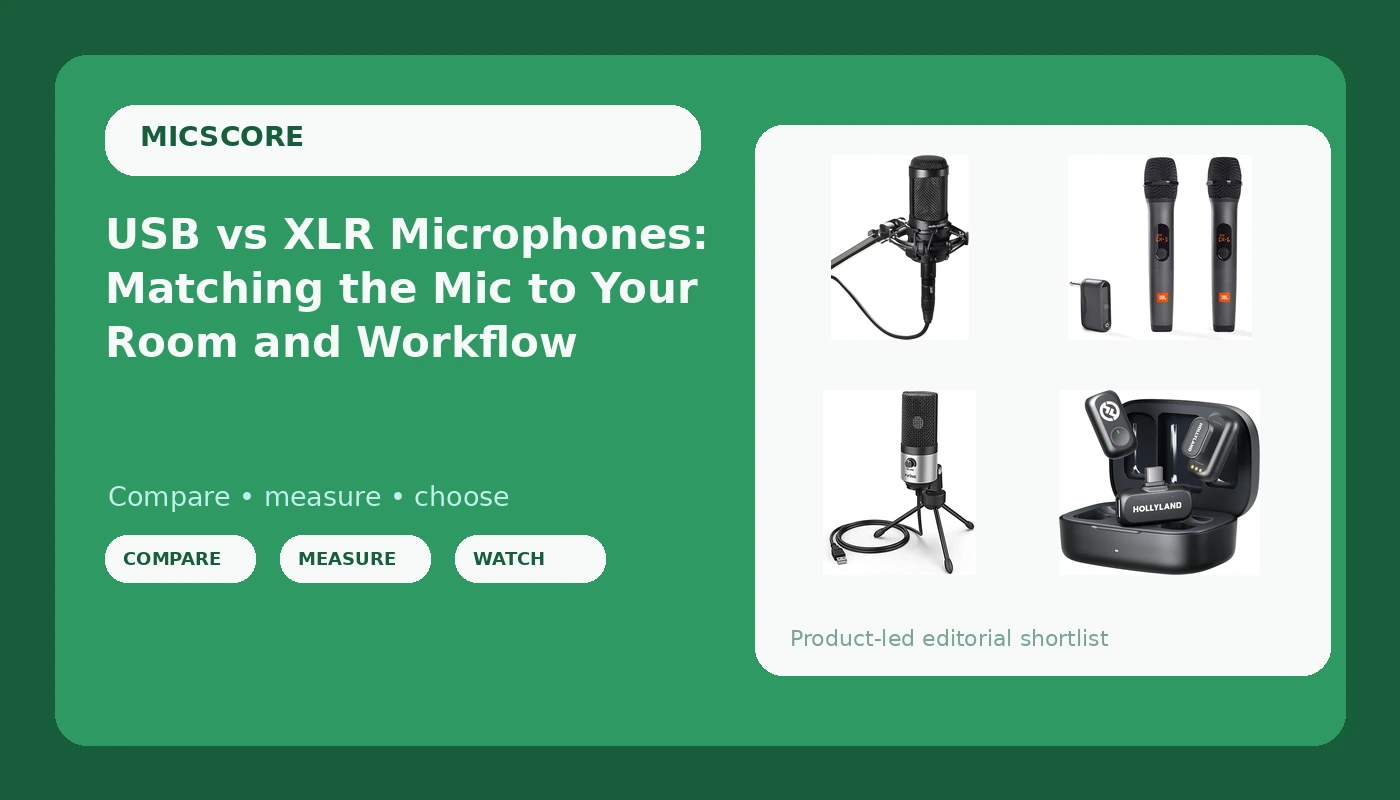
Most creators buy a microphone long before they do anything about the room they record in, and that order is backwards. The choice between USB and XLR microphones is not really about brand or price tier; it is about how much of the signal chain you want to own. A USB mic hands you one cable and a finished sound. An XLR mic hands you a cleaner upgrade path and a longer shopping list. Wireless systems sit off to the side and solve a different problem entirely: getting a microphone onto a second person without running cable across the room. This guide walks through four current options, what each one asks of you, and how to tell which category your own recording situation actually falls into.
Related: How Room Treatment Changes What Your Microphone Captures →
Quick answer
If you record alone at a desk in a normal untreated room, start with a USB microphone. It needs no interface, no preamp, and no separate cable, and the FIFINE K669 covers meetings and online classes as well as a first solo recording. If your room is treated and you already own or plan to buy an interface, the Audio-Technica AT2035 is the XLR condenser in this group, and it includes a custom shock mount. If two people need microphones at the same time, the JBL Wireless Two Microphone System pairs two wireless mics with one dual-channel receiver, while the Hollyland Lark A1 uses two transmitters, a USB-C receiver, and a charging case for on-camera and mobile work.
Four useful options
| Model | Best fit | What stands out |
|---|---|---|
| FIFINE K669 Silver USB Microphone for Zoom Video Meeting Online Class | Solo desk recording, meetings, classes | USB connection, no interface required |
| Audio-Technica AT2035 Cardioid Condenser Microphone | Treated-room voiceover and studio vocals | Cardioid condenser with XLR output and included shock mount |
| JBL Wireless Two Microphone System with Dual-Channel Receiver | Two speakers, one receiver | Two wireless microphones with a dual-channel receiver |
| Hollyland Lark A1 Wireless Magnetic Microphone | On-camera and mobile two-person audio | Two transmitters, USB-C receiver, charging case, magnetic mounting |
The plug-and-play USB pick: FIFINE K669 Silver USB Microphone
The case for a USB microphone is not that it beats an XLR setup, because that claim cannot be made in the abstract. The case is that it removes every step where a new podcaster usually stalls: choosing an interface, matching a preamp to a condenser, buying a cable, and learning gain staging before the first recording. The trade-off is real and worth naming. USB mics cap the upgrade path, because the next step up means replacing the microphone rather than adding a piece of gear behind it. They also put the conversion inside a device sitting on your desk, close to the keyboard. If you type while you record, a boom arm matters as much as the microphone itself.
The treated-room condenser: Audio-Technica AT2035
A cardioid condenser rewards a room that is already under control. Condensers are sensitive, and that sensitivity is the point: it captures detail that a tighter, less sensitive design smooths over. In a treated room, that is exactly what you want for voiceover and studio vocals. In an untreated room with a refrigerator, a street, or a bare wall behind the microphone, the same sensitivity captures all of it, and no amount of editing fully removes room tone that was printed on the recording. The AT2035 also assumes an interface. XLR output means a preamp and phantom power, which is a real cost that does not appear on the microphone listing. Budget for the interface before you budget for the mic.
The two-speaker wireless kit: JBL Wireless Two Microphone System
Two-person recording is where single-mic setups break down. Passing one microphone back and forth between two speakers changes the distance to the capsule on every sentence, which changes level and tone in ways that are tedious to fix later. A system with two microphones and one dual-channel receiver keeps both speakers on their own channel and at a consistent distance. The trade-off is that wireless adds its own variables: battery state, receiver placement, and the possibility of interference in a crowded wireless environment. A kit like this is also a different tool from a desk microphone. It is built to be held and moved, which makes it a better fit for interviews, panels, and events than for a solo podcast recorded sitting down.
The magnetic clip-on kit: Hollyland Lark A1 Wireless Magnetic Microphone
The Lark A1 is aimed at a different job again: putting a microphone on a person who is on camera. Two transmitters mean two people can be mic'd at once, the USB-C receiver matches the current generation of phones, tablets, and laptops, and the charging case solves the storage and battery problem that clip-on systems usually create. Magnetic mounting is the detail that makes this category usable, because a transmitter can be attached to clothing without a clip digging into a collar. The limits are worth stating plainly. A tiny clip-on transmitter is not a studio microphone, and it will not match a desk-mounted condenser for a solo voiceover. It is the right answer when the camera is moving and the microphone has to move with it.
Prices and availability may change. Product images, names, and retailer links are matched to verified listings. No current price, rating, stock status, or measured result is stated here without current evidence.
Why the room sets the ceiling on any microphone
Every microphone hears two things: the sound coming out of your mouth and the sound of the space around you. The second part arrives from every direction, bounces off walls, ceilings, and monitors, and lands at the capsule a few milliseconds late. That is what listeners describe as a recording sounding "boxy" or "like a bedroom," and it is a property of the room, not the microphone. You can hear it in the first two seconds of any home recording: the tail after a sentence ends, the hum underneath everything, the low-frequency build-up when a voice gets close to a bare wall.
Directional patterns help here, which is why cardioid designs are standard for voice. A cardioid rejects more energy from behind the microphone than from in front of it, so pointing the rear of the mic at the noisiest part of the room, and speaking into the front, tilts the odds in your favor. Distance does the rest. Proximity effect means a voice gets fuller and louder as it approaches the capsule, so a consistent working distance is worth more than a perfect one. Record thirty seconds of silence in your normal position and listen on headphones. Whatever you hear in that silence is what every future recording will carry.
USB, XLR, and wireless are three different commitments
USB means one cable and no interface. That simplicity is genuine, and it is why the format has taken over the entry segment. What you give up is flexibility: the preamp, the converter, and the gain control live inside the microphone, and when you outgrow them you replace the whole device. USB microphones also tend to sit on a desk, where they pick up keyboard noise and desk thumps, so a boom arm and a shock mount are not optional accessories for a serious recording.
XLR means you are buying into a chain. The microphone is one part of it, and the interface or mixer is another, with preamps, phantom power for a condenser, and gain staging that you control. That path costs more up front and rewards you later, because a better interface improves every microphone you plug into it.
Wireless means you stop thinking about cables and start thinking about batteries, receiver placement, and interference. It is the only one of the three that solves the two-speaker problem cleanly, and the only one that lets a microphone follow a person around a room.
- Record thirty seconds of silence where you actually sit, and treat whatever you hear as the first problem to solve.
- Count how many people will speak at once. One speaker points to a desk microphone; two or more points to a two-microphone system.
- Decide whether you will buy an interface. XLR means preamps and phantom power, and that is a separate purchase from the microphone.
- Check the port on the device you record into, whether USB-C, USB-A, or XLR, and get the adapter before the microphone arrives.
- Match the microphone to the room you have now, not the treated room you plan to build someday.
Practical guidance before you buy
- Buy the boom arm and pop filter with the microphone rather than after it; a desk stand transmits typing and plosives straight into the recording.
- Set gain so normal speech peaks well below clipping, and leave headroom for a laugh or a loud guest.
- Hold the same distance from the capsule for a whole session, because proximity effect turns distance changes into tone changes.
- Monitor on headphones while you record; a microphone that sounds fine in the room can still be picking up a fan.
- Keep wireless transmitters in their charging case and check battery state before every session, not after the guest arrives.
Which option should you choose?
Choose the FIFINE K669 Silver USB Microphone when you record alone at a desk, want one cable and no interface, and need the microphone to handle meetings and classes as well as a first recording. Choose the Audio-Technica AT2035 Cardioid Condenser Microphone when your room is treated, you already own an interface or plan to buy one, and you want an XLR condenser with a shock mount in the box. Choose the JBL Wireless Two Microphone System when two people speak in the same session and you want both on their own channel without running cable. Choose the Hollyland Lark A1 Wireless Magnetic Microphone when the camera moves, two people need microphones, and the recording device is a phone, tablet, or laptop with USB-C.
The caveat is the same one that applies to every microphone comparison. A specification sheet can advertise a frequency response range whose edges most listeners cannot hear, and it will still say nothing about how a microphone behaves in your room. What decides the outcome is distance, room tone, and how many people are speaking. If you cannot fix those, no microphone purchase fixes them for you.
The bottom line
The right order of operations is room first, people second, microphone third. Fix what you can for free: move the desk away from the wall, point the rear of the microphone at the noisy side of the room, keep a consistent distance, and put the mic on an arm instead of a desk stand. Then choose the category that matches your reality. A USB microphone like the FIFINE K669 gets a solo creator recording today with no interface and no learning curve. The Audio-Technica AT2035 is the XLR condenser for a treated room and an interface you already own. The JBL system and the Hollyland Lark A1 both solve the two-speaker problem, one at a desk and one on camera. Buy for the room you record in, and the upgrade treadmill stops being a treadmill.