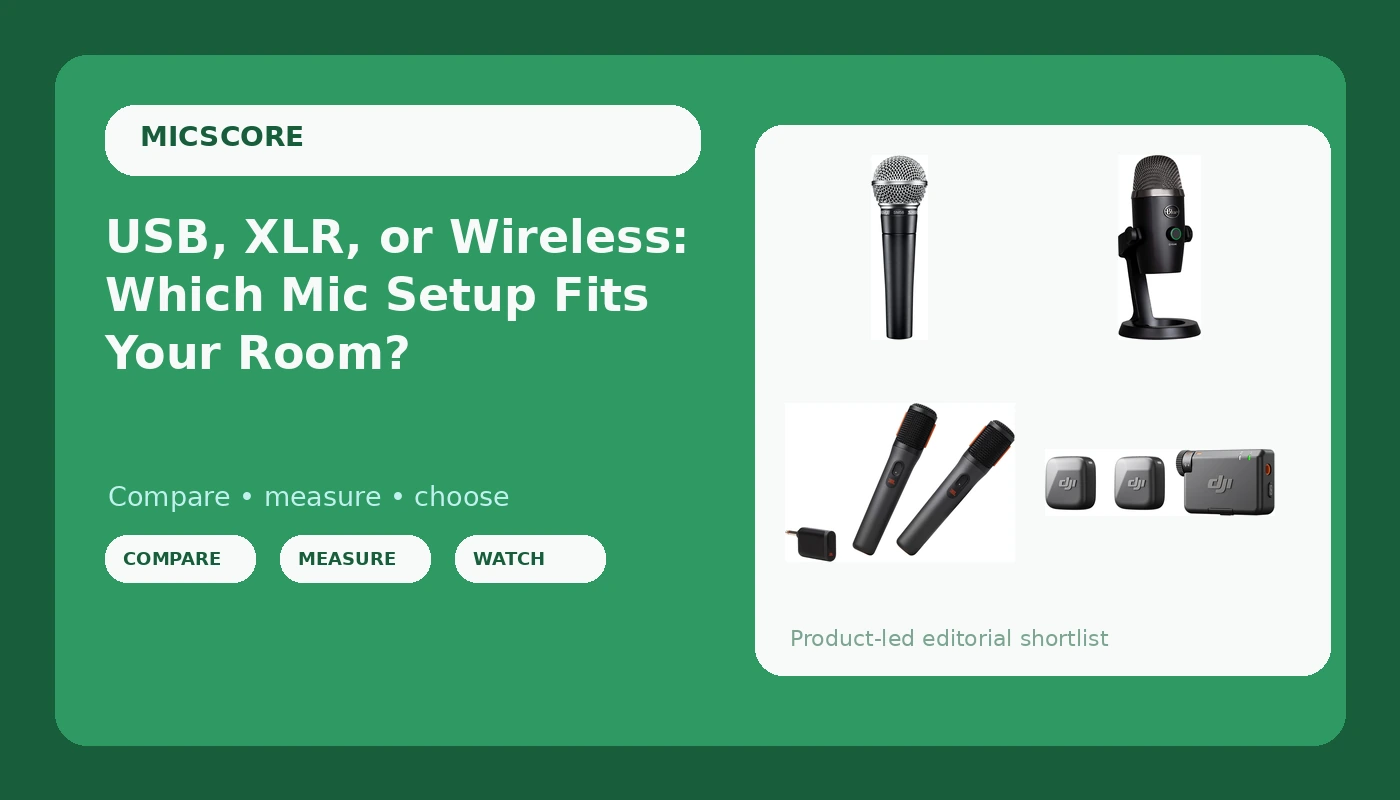
Choosing a microphone setup for creators is rarely a brand question. It is a connection question, XLR, USB, or wireless, and it is a room question, because the space you record in decides which of those three makes sense before any model number does. I have edited thousands of episodes for other people, and the pattern in the files is consistent: the microphone is almost never the weak link. The room is. A street-facing window, a hard kitchen wall, a laptop fan under the desk, these things get printed into the take and no frequency response chart fixes them.
Related: Dynamic vs Condenser Mics for Home Podcasting →
Quick answer
Match the connection type to the job and the room first, then compare models. A wired XLR dynamic like the Shure SM58 pairs with an audio interface and rewards a space with some soft surfaces. A USB microphone like the Logitech for Creators Blue Yeti Nano removes the interface from the chain entirely and plugs straight into a PC or Mac. Wireless kits like the DJI Mic Mini and the JBL PartyBox Wireless Mic solve distance and mobility, which no desk microphone can. If your room is untreated and your street is loud, put the money into the mic that picks up the least of the room around it, then spend what is left on treatment.
Four useful options
| Model | Best fit | What stands out |
|---|---|---|
| Shure SM58 Pro Dynamic Vocal Microphone with 25-ft XLR Cable | Wired XLR setups with an interface | Dynamic vocal design with a 25-ft XLR cable included in the listing |
| Logitech for Creators Blue Yeti Nano USB Microphone | Plug-and-play desk recording | USB connection to PC and Mac, no interface required |
| DJI Mic Mini (2 TX + 1 RX) | Two-person wireless capture | Two transmitters and one receiver in a single kit |
| JBL PartyBox Wireless Mic | Events, parties, and PartyBox owners | Two rechargeable handheld mics on a 2.4GHz link |
The wired XLR pick: Shure SM58 Pro Dynamic Vocal Microphone with 25-ft XLR Cable
The trade-off is the interface. An XLR microphone does not talk to a laptop on its own, so the real cost of this path is the microphone plus the interface plus the cable management plus the hour you spend learning gain staging. What you get in return is a chain you can grow: a better preamp later, a second mic for a co-host later, a headphone mix that does not depend on a vendor's software. For a home podcaster in a room with a window and a noisy street, a dynamic microphone is usually the more forgiving place to start, because it hears less of everything that is not directly in front of it.
The plug-and-play USB pick: Logitech for Creators Blue Yeti Nano USB Microphone
The trade-off with any USB microphone is the mount. A microphone sitting on the same desk as your keyboard is a microphone that records your keyboard, and the fix is a boom arm or a shock mount rather than a different microphone. This is the part of the upgrade treadmill I would happily see people skip: buy the arm before you buy the next mic. The other USB reality is that the microphone hears the room, so if there is a fan in the next room, that fan is in the file.
The wireless clip-on kit: DJI Mic Mini (2 TX + 1 RX)
Wireless is a different job, not a better version of the same job. A clip-on transmitter sits close to a collar, which keeps the distance from mouth to capsule consistent and keeps the microphone out of the shot, but you give up the physical control of a desk setup. Wireless systems in the 2.4GHz range share crowded spectrum with routers and everything else in the room, so placement and line of sight between transmitter and receiver still matter. If your show is two people walking, filming, or recording in a space where a stand cannot go, this is the category that solves your problem.
The handheld pair: JBL PartyBox Wireless Mic
The honest caveat is that this one is tied to an ecosystem. If you own a PartyBox speaker, you already have the amplifier and the audience; if you do not, this is not a podcasting purchase. Handheld microphones also behave differently from a mounted one, because the distance to your mouth changes constantly, which changes level and tone with it. That is fine for a toast, a karaoke night, or an event announcement. It is not fine for an episode you plan to edit for an hour.
Prices and availability may change. Product images, names, and retailer links are matched to verified listings. No current price, rating, stock status, or measured result is stated here without current evidence.
Why the room outranks the microphone
Every microphone records two things: the sound arriving at its front, and the sound arriving from everywhere else. That second part is your room. Hard parallel walls, glass, bare floors, and a low ceiling send reflections back into the capsule a few milliseconds after your voice, and that is what people hear as "echoey" or "cheap" in a home recording. It is not a defect in the microphone, and it is why the same microphone can sound fine in one apartment and unusable in another.
This is also where off-axis rejection earns its keep. A microphone that is more sensitive from the front and less sensitive to the sides and rear picks up proportionally less of the reflection and less of the street. That property is not on the box in large type, because "rejects the room you record in" is a harder thing to print than a frequency range. For a podcaster with a noisy street, a refrigerator, or a neighbor with a dog, it is the most important number in the decision, and it is also the reason a well-placed dynamic microphone often beats a more expensive large-diaphragm condenser in an untreated space.
Then there is proximity effect. Get close to a directional microphone and the low end rises, which is why a close, slightly off-axis position sounds full and warm while a mic three feet away sounds thin and distant. Close also means the room has less time to arrive relative to your voice. The practical version of all of this is unglamorous: rugs, curtains, a bookshelf, a blanket behind the mic position, and a microphone placed a hand's width from your mouth.
How connection type shapes your workflow
XLR means a balanced analog signal into an interface, which means a preamp, a gain knob, and a headphone output that you control. That chain is stable, serviceable, and expandable, and it is also the only one of the three that requires you to learn gain staging before your first recording sounds right. If you want to add a second microphone later, or upgrade the preamp without replacing the microphone, this is the path that allows it.
USB means the converter is inside the microphone. You plug in, you select the device in your software, you record. The cost is flexibility: the preamp, the converter, and the microphone are one purchase and one failure point, and you cannot swap one part of the chain. The upside is that a modern USB microphone closes most of the practical quality gap for a single person talking into one microphone in one room.
Wireless means the signal leaves the microphone before it reaches a cable. That solves mobility, camera work, and multi-person capture, and it introduces two new variables: battery state and radio interference. A wireless kit is the right answer when the recording has to happen somewhere a stand cannot be, and the wrong answer when the recording happens at the same desk every week.
A short version of the decision, in order:
- Record thirty seconds of silence with the microphone where you plan to use it, and listen back on headphones for room tone, traffic, and hum.
- Count how many people will speak at once, because two speakers change the answer faster than any specification does.
- Decide whether you are willing to buy and learn an interface, or whether you want one cable and no setup.
- Check what your computer and your recording software accept without extra drivers, then confirm the microphone matches.
- Budget for the mount, the pop filter, and the cable before you budget for the next microphone.
Practical guidance that applies to every option here
- Keep the microphone a hand's width from your mouth and slightly off axis, so plosives pass by the capsule instead of hitting it.
- Put something soft behind the person speaking and behind the microphone: a curtain, a rug, a shelf of books, a moving blanket.
- Move the microphone off the desk surface with a boom arm or shock mount, so typing and desk bumps stay out of the take.
- Switch off fans, air conditioning, and anything else with a motor during recording, because that noise survives every cleanup attempt.
- Set your level at the source with proper gain staging, and leave headroom, so you are not rescuing a clipped take in the edit.
Which option should you choose?
Choose the Shure SM58 Pro Dynamic Vocal Microphone with 25-ft XLR Cable when you already have an interface, record in a room you cannot fully treat, and want a chain you can expand later. Choose the Logitech for Creators Blue Yeti Nano USB Microphone when you want to plug into a PC or Mac and start recording today without buying an interface. Choose the DJI Mic Mini (2 TX + 1 RX) when two people need to be captured away from a desk, on camera, or in motion. Choose the JBL PartyBox Wireless Mic when the job is a live room, a party, or an event and you already own a PartyBox speaker.
No listing can tell you how a microphone will behave in your specific room, and no specification replaces a short test recording in the space where you actually work. Prices, ratings, and stock change constantly, which is why this article states none of them; check the current listing for anything that moves.
The bottom line
The order of operations matters more than the model number. Fix what you can in the room, choose the connection type that matches how you actually record, and only then compare microphones within that category. A wired dynamic plus an interface is the expandable path. A USB microphone is the shortest path to a finished recording. A wireless kit is the path when the recording refuses to sit still. Buy the mount and the soft furnishings before you buy the upgrade, because a microphone you use every day will always beat a better microphone you are afraid to set up.